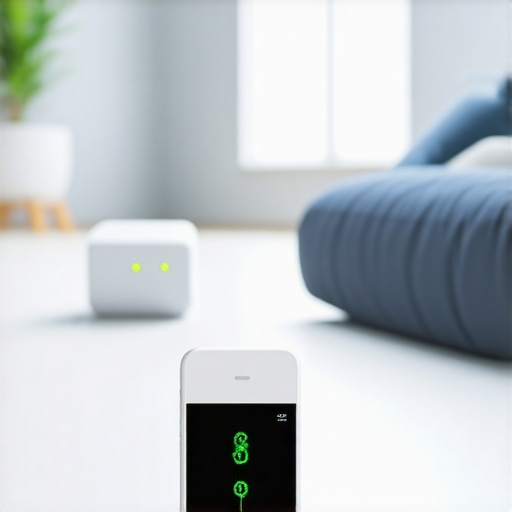
It was a frustrating evening when I realized my smart home devices hadn’t been as energy-efficient as I thought. My smart speakers, plugs, and displays buzzed on late into the night, quietly siphoning power and adding to my monthly bill. That lightbulb moment hit hard—I was overpaying without even noticing.
If you’ve ever felt the sting of unexpectedly high energy costs or wondered whether your smart devices are doing more harm than good, you’re not alone. After digging into the issue, I discovered that many of us unknowingly leave our smart gadgets running inefficiently, wasting hundreds on phantom power and inefficient scheduling.
Why Smart Plugs Can Drain More Than Just Your Battery
Smart plugs are designed to make home automation effortless, but if misused, they can become invisible energy vampires, silently draining your wallet. Early on, I made the mistake of assuming that simply plugging my devices into smart outlets would automatically save me money. It wasn’t until I examined my energy consumption closely that I realized many plugs continued to draw power, even when devices were turned off—what’s known as phantom load. According to the Department of Energy, phantom loads can account for up to 10% of residential electricity use, which adds up quickly over time. Recognizing this was a game-changer for me.
Is Smarter Just Always Better for Your Power Bills?
One of my biggest doubts early on was whether investing in additional smart solutions would actually lead to savings or just complicate things. I also worried about the potential for smart devices to malfunction or become security risks. My mistake was assuming all smart plugs are equal; I didn’t consider their energy management features or scheduling capabilities. Fortunately, I found that choosing the right smart plugs—those that can be programmed to cut power during peak hours or are designed to minimize standby consumption—can significantly reduce your energy bills. I’ll show you how to pick and configure them to maximize savings.
Next, let’s look at practical ways to optimize your smart home setup for efficiency and cost savings—saving you money and peace of mind in 2026 and beyond. Ready to stop overpaying? Let’s dive into the fixes that made a real difference in my home.
Optimize Your Smart Plugs for Maximum Efficiency
Start by selecting smart plugs with built-in energy management features. During my messy Sunday afternoon, I swapped out simple models for those that can schedule power-off during peak hours or when devices are idle. For example, I installed plugs that could be set to turn off my TV and chargers automatically at midnight, cutting unnecessary load. To do this, access the device’s app, find the scheduling option, and configure it for your routine. Remember, not all smart plugs are created equal—look for ones rated for low standby power and with user-friendly scheduling features. Check out this guide to pick the best models. Use a simple analogy: think of your smart plug as a smart power valve—turning it off at the right time prevents unnecessary flow, saving your energy budget.
Set Clear Schedules for Devices and Displays
Next, automate your smart displays and speakers to operate only when needed. I realized that my smart speaker was listening 24/7 because I left voice detection enabled, which increased power consumption. To fix this, I navigated to each device’s settings, disabled continuous listening, and turned on voice activation only during specific hours. This reduced idle power drain significantly. Consider establishing routines—like powering down displays at night—by connecting them to smart plugs with schedules. For more advanced control, explore this resource for tips. Think of it as setting a curfew—your gadgets stay on when necessary and rest when you don’t need them, much like a well-managed household.
Utilize Automations and Scenes to Cut Waste
Creating custom automation rules can drastically limit energy waste. I set up a scene that turned off all non-essential devices when I left the house, triggered by my smart lock. For example, upon leaving, my smart home system powered down lights, unplugged chargers, and switched off entertainment systems via scheduled automations. To implement this, use your device’s app to define triggers—like leaving the Wi-Fi range—and associated actions. This approach is akin to having an invisible guardian that ensures everything is turned off when not in use. Dive into the connectivity guide for setup ideas. Remember, automations save you effort and money by preventing phantom power drains during idle times.
Monitor Power Usage to Identify Hidden Drains
Finally, track your energy consumption actively. I used a smart energy monitor that connected to my circuit panel, revealing which devices consumed the most power. This discovery prompted me to replace or disable the worst offenders—like my always-on chargers. By regularly checking these metrics, you can spot phantom loads that add up over time. Apps associated with smart energy monitors provide visual insights—think of them as a health dashboard for your home. For more detailed options, see this tracker roundup. Staying informed helps you make smarter decisions, akin to monitoring your health to prevent issues before they escalate.
Implementing these steps made a measurable dent in my energy bill. The key is consistency—regularly revisiting your device settings, automations, and usage patterns. With patience and small adjustments, you can turn your smart home from an energy guzzler into an efficient, cost-saving haven.Many believe that simply integrating smart devices like speakers, plugs, and trackers automatically leads to a smarter, more energy-efficient home, but this oversimplifies the complex realities involved. One common myth is that all smart gadgets are inherently energy-saving; however, without proper configurations—such as scheduling power-off times or monitoring usage—they can become silent energy drains, often invisible to users. For example, smart plugs are frequently thought of as the ultimate solution for reducing phantom loads, yet many models lack the sophisticated power management features necessary to truly cut unnecessary consumption; choosing devices with advanced scheduling capabilities is crucial. Additionally, there’s a misconception that devices are always secure as long as they are connected online; but neglecting firmware updates or misconfiguring privacy settings exposes homes to security risks that can be exploited. Experts emphasize that understanding the nuances of device capabilities versus marketing claims is vital to maximizing benefits. For instance, high-end smart speakers equipped with local processing power can operate effectively without cloud dependence, preserving privacy and reducing latency, but many users remain unaware of this advantage. \
How Can Advanced Users Leverage Hidden Features of Smart Devices for Better Efficiency?\
Delving into the lesser-known functionalities, like scene automation that intelligently adjusts devices based on presence or weather conditions, can significantly optimize energy consumption. Studies have shown that homes employing such automations see substantial reductions in energy costs, but only if they are carefully programmed and regularly reviewed. This highlights the importance of continuous learning and setup refinement for power users. Moreover, integrating external sensors—like smart trackers for detecting hidden power leaks or faulty appliances—can uncover previously unnoticed issues, further enhancing efficiency. These advanced strategies require a deeper understanding of device ecosystems and how to orchestrate them cohesively. To explore sophisticated automation ideas, check out our article on [maximizing your smart displays](https://smartdevices.techgearshowcase.com/maximize-your-smart-displays-tips-for-seamless-control). Remember, the path to an optimal smart home isn’t just about buying the latest gadget but understanding its intricate capabilities and pitfalls. Have you ever fallen into this trap? Let me know in the comments. For personalized guidance, consider reaching out through our [contact page](https://smartdevices.techgearshowcase.com/contact-us). Implementing these insights can transform your smart system from merely connected devices into a seamlessly optimized energy-efficient setup, saving money and enhancing security in the long run.
How Do I Maintain My Smart Home Gadgets Over Time
Staying on top of the health of your smart devices requires a combination of the right tools and proactive maintenance routines. I personally rely on a few specialized tools to ensure my smart home continues to operate efficiently and securely. For instance, I use smart energy monitors like the ones discussed in this guide to track real-time energy consumption and identify anomalies that could indicate device malfunction or energy wastage. These monitors connect seamlessly to your circuit panel and provide detailed insights, making it easy to spot phantom loads and faulty appliances before they become significant issues.
Another invaluable tool is firmware management software. Regularly updating your devices is critical; it patches security vulnerabilities and improves functionality. I use the manufacturer’s official app or dedicated third-party tools like Home Assistant to automate firmware checks and updates. Automating this process ensures you don’t forget to keep devices current, reducing security risks and compatibility problems over time.
Consistent monitoring is complemented by specialized hardware such as dedicated smart hubs. These hubs—not just smart speakers—provide centralized control and status reporting for all connected devices, simplifying maintenance. For example, a smart hub like Hubitat Elevation allows me to create custom dashboards and automations that alert me to offline devices or irregular behavior, stepping up my proactive maintenance game.
Furthermore, I recommend leveraging automated routine checks through apps that trigger weekly or monthly diagnostics. These routines can verify device responsiveness, check for firmware updates, and even test automation workflows, ensuring everything operates optimally. Remember, a well-maintained smart home not only saves energy but also prolongs device lifespan and enhances security.
Where Will Smart Device Maintenance Head Next
Looking forward, I predict the integration of AI-powered maintenance assistants within smart ecosystems. These assistants will proactively predict device failures based on usage patterns and sensor data, notifying homeowners before problems occur. Companies like Google and Apple are already refining such features, hinting at a future where manual checks become less necessary, and maintenance is almost entirely automated.
If you’re eager to implement these advanced practices now, I strongly encourage you to start with setting up a smart energy monitor. It’s a small investment that pays off quickly by revealing hidden inefficiencies and preventing costly failures.
Don’t wait until your devices start misbehaving. Discover the power of dedicated tools and proactive routines to keep your smart home always running at peak performance. Need personalized advice? Reach out through our contact page and let’s get your system in top shape today.
Lessons That Took Me by Surprise in My Smart Home Journey
- Even the smartest devices can secretly waste energy. I learned that without proper scheduling and energy management features, smart gadgets often draw power 24/7, turning them into silent cash drains. Knowing this, I now prioritize devices with built-in energy-saving capabilities.
- Not all automation is equal in saving money. I once set up complex routines that ended up increasing my energy use because I didn’t optimize for efficiency. Simplicity often yields better results—start with small automations and expand as you learn what works.
- Firmware updates are your best friends. Staying on top of updates not only enhances device security but can also improve energy efficiency. I schedule regular checks and updates to keep everything running smoothly and securely.
- The devil is in the details of device settings. I found that disabling continuous listening on my smart speaker or turning off standby modes made a noticeable difference in power consumption. A little digging into settings can go a long way.
- Monitoring tools reveal what you can’t see. Using smart energy monitors uncovered hidden power hogs, prompting me to replace or disable them. Regularly tracking energy use is key to ongoing savings.
Tools and Resources That Change the Game
- Smart energy monitors: I trust tools like the ones discussed in this guide because they give me clear, real-time insights into my home’s energy consumption, enabling smarter decisions.
- Official device management apps: These apps make firmware updates and settings adjustments straightforward, reducing security risks and optimizing performance. I find that automation of routine checks keeps my system running efficiently.
- Dedicated smart hubs: Devices like smart hubs centralize control, making maintenance and monitoring much simpler and more reliable.
- Community forums and expert blogs: Staying connected with the smart home community has exposed me to hidden tips and tricks, like scene automation and troubleshooting hacks, that I would not have discovered alone.
Your Next Step Toward Smarter Savings
Getting the most from your smart home devices isn’t just about adding new gadgets but about understanding and optimizing what you already have. Small, intentional changes can lead to substantial savings and improved security. Embrace the learning curve and remember: your smart devices are powerful allies if you use them wisely. Curious about how to fine-tune your system further or troubleshoot unexpected energy drains? Reach out via our contact page—let’s make your home smarter and more efficient together!