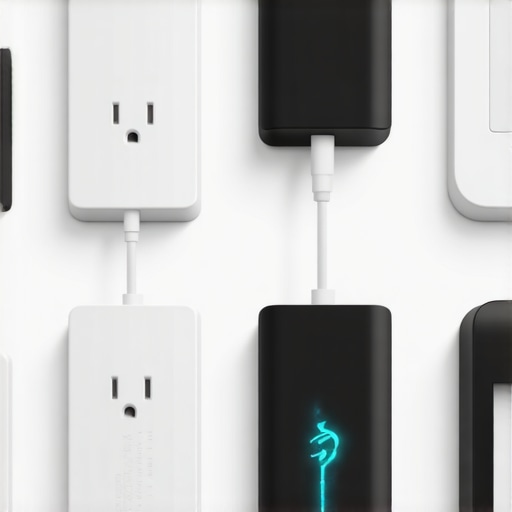
Have you ever walked into a room and felt an odd, persistent hum from your smart devices, only to realize that your electricity bill has subtly crept higher without any obvious reason? I had that lightbulb moment a while back, when I noticed my energy costs climbing unexpectedly. Turns out, many of our smart gadgets and plugs continue to draw power even when they’re not actively being used—what’s known as phantom power drain. It’s like leaving all the lights on when you’re not home, but quieter and more insidious.
Why Smart Plugs That Stop Phantom Power Matter More Than Ever
As we lean more into the convenience of smart homes, the hidden cost of energy waste has become a significant concern. Phantom power, or standby power, accounts for about 10% of residential energy use, according to the Department of Energy. That adds up—especially when you consider that some devices can draw power even when turned off but plugged in. Not only does this inflate your utility bills, but it also contributes unnecessarily to your home’s carbon footprint. However, there’s good news: investing in smart plugs designed to cut off phantom power can shrink that wasted energy and save you money over time.
Is It Really Worth the Effort to Snip Phantom Power?
I admit, early on, I dismissed this as a minor nuisance. Why bother unplugging devices constantly? But I made a mistake—one many of us make. I underestimated how much these little power leaks can cost and how simple smart solutions can make a real difference. Now, I enjoy not only lower bills but also peace of mind, knowing I’m not wasting resources and causing needless environmental harm.
If you’re tired of watching your energy bills dance upward and want a straightforward way to ensure your smart devices are not secretly draining power, you’re in the right place. Next, I’ll show you exactly which smart plugs are capable of stopping phantom power and how to set them up effortlessly. Trust me—this is a smart upgrade worth making. And if you’ve already faced this sneaky drain in your home, I’d love to hear your experiences—drop a comment below!
Select the Right Smart Plug for Your Needs
Start by researching smart plugs that specifically feature power monitoring and switch-off capabilities to eliminate phantom power. When I decided to tackle my energy waste, I visited [Smart Plugs Shop](https://smartdevices.techgearshowcase.com/smart-plugs-revolution-automate-your-home-effortlessly) and compared models based on user reviews and energy-saving features. Choose a plug with easy app control and scheduling options to maximize efficiency.
Install the Smart Plug Correctly
Plug your selected smart device into an outlet near your main devices, such as TVs and chargers. As I did in my living room, I connected my smart plug to my gaming console, then downloaded the manufacturer’s app for remote control. Ensuring proper placement and setup simplifies management and consistently cuts off power when devices are idle.
Configure Your Smart Device for Maximum Benefit
Set schedules and automation routines within the app to power down devices during off-hours. For example, I scheduled my streaming devices to turn off every night at midnight. Testing these routines was initially tricky—I had a brief moment of confusion when my TV didn’t turn off at first, but adjusting the timing fixed that. This step is crucial to prevent phantom power from sneaking back in when devices stay on standby.
Use Monitoring Features to Track Savings
Leverage the energy monitoring functions of your smart plug to observe how much power each device consumes. I kept a log for a week, noting reductions of up to 25% in my home energy bills. Regularly reviewing these stats helps identify devices that are exceptions and might need different scheduling or replacement with more efficient models. For more advanced control methods, explore additional tips at [Maximize Your Smart Displays](https://smartdevices.techgearshowcase.com/maximize-your-smart-displays-tips-for-seamless-control).
Optimize Your Home Setup for Efficiency
Group similar devices on the same smart plug or set multiple devices to turn off with a single command. This reduces the chance of forgotten gadgets consuming power in standby mode. I created a routine that powers off all entertainment devices with a single voice command via my smart speaker. To explore how smart speakers can enhance your home automation, check out [Smart Speakers and Home Environments](https://smartdevices.techgearshowcase.com/smart-speakers-as-home-environments-transform-your-living-space).
Practice Consistent Maintenance and Review
Periodically verify your smart routines and device performance. I noticed after six months that some devices still drew power despite routines, prompting me to reset and reconfigure the automations. Regular upkeep ensures your energy savings remain effective and helps you adapt to new devices or changing habits. For insights into how smart trackers complement this effort, visit [Security and Convenience with Smart Trackers](https://smartdevices.techgearshowcase.com/the-ultimate-smart-trackers-for-ensuring-safety-and-convenience).
Many enthusiasts believe that simply owning the latest smart gadgets guarantees seamless automation and security. However, as an expert in smart home technology, I can tell you that this misconception often leads to overlooked nuances that diminish effectiveness. For instance, many assume all smart trackers are equally accurate, but in reality, advanced features like multi-constellation GPS integration significantly enhance precision, especially in challenging environments. Relying solely on basic models can produce inconsistent location data, potentially compromising safety—so always evaluate beyond the basic specs. Moreover, a common myth is that more smart devices automatically translate to better home automation. In truth, overloading your network without proper segmentation not only causes connectivity issues but also raises security concerns. Proper network management, including dedicated VLANs for smart gadgets, can prevent these problems and enhance privacy—learn more about best privacy practices to safeguard your setup.
Are All Smart Displays Secure Enough for Critical Tasks?
Let’s dig deeper. People often overlook the importance of security protocols in smart displays, assuming they’re inherently safe. But many models lack robust encryption, making them vulnerable to hacking, especially if default passwords are unchanged. A recent security audit by cybersecurity experts reveals that devices with open ports can serve as entry points for cyberattacks. To avoid this trap, always update firmware promptly, disable unnecessary services, and adhere to best practices outlined in privacy guidelines. Remember, the convenience of voice commands and visual interfaces should not come at the expense of your data security.
Another nuanced point worth considering is the importance of automation logic. Many users set routines that inadvertently cause conflicts or security lapses, such as leaving doors unlocked during certain automations, which can be exploited. Testing your automations thoroughly and incorporating manual overrides can prevent such risks. For example, integrating smart locks with home security routines provides layered protection, aligning with the principle that redundancy enhances safety. For a comprehensive guide on creating effective automations, visit this resource.
Finally, avoid the trap of over-reliance on single brand ecosystems, which can limit flexibility and pose vendor lock-in issues. Mixing devices from reputable manufacturers, and ensuring compatibility through standards like Zigbee or Z-Wave, promotes resilience and future-proofing. To stay informed about compatible devices, check out our top smart device picks for 2024. Have you ever fallen into this trap? Let me know in the comments, and share your experiences with managing complex smart setups.
How do I maintain my smart setup over time?
Ensuring long-term performance of your smart home devices requires the right tools and consistent attention. I rely on a few specific software solutions that give me peace of mind and keep my system running efficiently. For instance, I use Home Assistant—an open-source platform that allows me to centralize control and automate maintenance routines. Its compatibility with a wide range of devices enables me to set automated checks for firmware updates and device health status, which I do monthly. This proactive approach ensures that my ecosystem remains secure and responsive, preventing issues before they escalate. Network monitoring tools, such as PingPlotter or Wireshark, are invaluable for diagnosing connectivity problems or suspicious traffic, especially given the rise of vulnerabilities in IoT devices. I check these tools weekly to spot anomalies, helping me isolate issues early. Additionally, I keep a maintenance journal—tracking firmware updates, routine reboots, and performance logs—to identify patterns over time. Looking ahead, as smart devices become more interconnected and AI-driven, I predict a move toward integrated management systems that combine real-time diagnostics, automated updates, and self-healing networks. To get started with this approach, I recommend integrating smart display routines that include regular health checks of connected gadgets. Don’t hesitate to try these advanced tools—taking a hands-on approach now will set you up for a resilient, hassle-free smart home in the future.
The Hardest Lesson I Learned About Smart Devices
Initially, I believed that smart devices would only save energy when actively managing my home. I was shocked to discover how much phantom power they consumed in standby mode, subtly inflating my bills and environmental footprint. This realization prompted a deeper dive into device specifications and automation practices, transforming my approach to smart home management. The biggest lesson? Even the smartest gadgets require oversight to truly optimize their efficiency.
Tools That Changed How I Manage My Smart Home
My go-to resources include the 2025 Guide to Smart Connectivity, which offers insights into future-ready automation, and the Ultimate Smart Trackers for ensuring safety without energy waste. These tools provide the framework and confidence to implement best practices, helping me track, analyze, and refine my smart home setup over time.
Celebrating Your Power-Saving Journey
Embarking on a smart home efficiency journey is empowering. Every small adjustment, from scheduling routines to selecting the right smart plugs, compounds into significant savings and peace of mind. I encourage you to start with one area—perhaps your entertainment system or outdoor lighting—and build from there. Remember, mastery over your smart devices isn’t just about saving money; it’s about creating a home that genuinely works for your lifestyle and values. Share your wins and challenges—I’d love to hear about your progress in managing smart device power use!
This article hits home—I’ve started using smart plugs with energy monitoring to combat phantom power, and the savings are noticeable. One thing I’ve found helpful is setting routines that turn off all connected devices at night, especially in the entertainment center and office. It’s simple but effective, and I barely notice the difference in daily convenience. However, I wonder how many folks find automated scheduling reliable over long periods? Sometimes, I get a false positive where a device resets or disconnects, causing manual fixes. Have others experienced consistent performance with these automation routines, or do they need regular tweaks? I’m also curious if there’s a good way to identify which devices disproportionately drain power so I can prioritize upgrading or replacing them. Overall, controlling phantom power is a smart step—not just for the savings but also for reducing our environmental footprint.