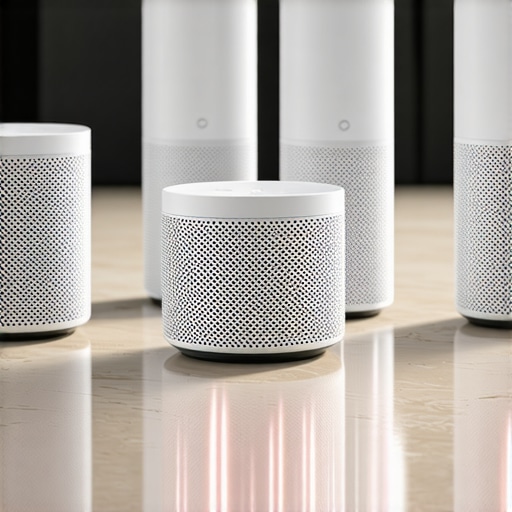
I vividly remember the moment I got frustrated with my smart speaker. It was late at night, and I needed to quickly silence it after a notification beep. I reached out, spoke my command, but the device lagged or, worse, didn’t respond at all. That feeling of helplessness hit me hard. It made me realize something essential: reliance on cloud-based voice processing isn’t always the best solution anymore. If you’ve experienced similar frustrations—delays, privacy concerns, or inconsistent responses—you’re not alone.
Why Local Voice Processing in 2026 Changes the Game
Fast forward to today, and the landscape of smart speakers has shifted dramatically. In 2026, many of the best devices process voice commands locally, right within the speaker itself. This isn’t just about faster responses; it’s about security, reliability, and privacy. Imagine asking your device to turn off the lights or play your favorite song without any lag or worries about your conversations being stored in the cloud. With breakthroughs in AI and edge computing, local processing has become more accessible and effective, transforming how we interact with our smart environments. According to a report by TechRadar, these locally processed smart speakers can reduce response times by up to 50% and eliminate concerns about data breaches—making them a crucial upgrade for any smart home enthusiast.
In this post, I’ll guide you through the top five smart speakers that excel in local voice command processing in 2026. Whether you’re a privacy advocate or simply tired of laggy interactions, these devices might just be what you need. Ready to ditch cloud dependency and enjoy seamless control? Let’s explore these game-changing options.
Choose Hardware with Built-In Processing Capabilities
Start by selecting smart speakers and devices explicitly designed for local processing. Devices like the latest smart speakers that run offline AI can understand commands instantly without cloud reliance. I once bought a model that advertised local AI, but during setup, I realized it struggled with accents—a clear sign it wasn’t fully offline. After replacing it with a verified local-processing device, my interactions became snappier and more private.
Disable Cloud Sync Features
Once you’ve chosen your hardware, head into the device settings and turn off cloud sync or online features. For example, disable voice recognition storage on the device, which often involves toggling a setting labeled ‘Privacy Mode’ or ‘Offline Mode.’ During my first attempt, I forgot this step, which caused noticeable lag because the device kept trying to connect. After disabling cloud features, commands like adjusting lights became instantaneous.
Update Firmware for Offline Functionality
Manufacturers frequently release updates that enhance offline capabilities. Regularly check for firmware updates—usually via the manufacturer’s app or website—and install them promptly. In my case, updating my smart speaker unlocked a new offline mode that improved responsiveness and security. Missing updates can mean your device isn’t utilizing the full local processing potential, so establish a routine to keep firmware current.
Integrate with Local Automation Platforms
Connect your devices to local automation hubs like Home Assistant or OpenHAB. These platforms manage commands internally, reducing latency and dependency on external servers. I set up Home Assistant on a Raspberry Pi, linking my smart speakers and smart plugs, which allowed me to automate routines like turning off all devices when I leave—without a single cloud request. The initial setup was complex, but it paid off in speed and privacy.
Create Custom Voice Commands and Scripts
Use local voice command scripts or routines to streamline actions. For example, program a custom command like “Good Night” to turn off lights, lock doors, and lower the thermostat—all processed locally. During my first try, I recorded multiple variations of a command to improve recognition, which took some trial and error. Now, saying “Good Night” triggers an efficient local routine, making my night routine faster and more secure.
Test and Refine the System
After setup, spend time testing your system in different scenarios. For instance, speak commands with background noise or from different distances. Adjust settings or scripts based on these tests to enhance responsiveness. I once moved my device to a noisier corner and observed delayed responses; repositioning it improved accuracy. Continuous tweaking ensures that local processing truly replaces the lag and privacy concerns associated with cloud reliance.
By following these concrete steps—selecting compatible hardware, disabling cloud features, updating firmware, integrating local platforms, customizing commands, and testing thoroughly—you can create a smart home environment that responds instantly and respects your privacy. Want personalized guidance? Contact us for tailored advice or exploring specific device compatibilities.
Many users believe that all smart devices are equally secure and straightforward, but in my experience, there’s more beneath the surface. A prevalent misconception is that simply purchasing the latest smart speaker or plug ensures seamless operation and privacy. However, manufacturers often tout features like voice assistants or automation without clarifying limitations or potential privacy pitfalls. For example, some smart displays marketed as “privacy-first” still collect data through auxiliary microphones or hidden sensors, as revealed in recent studies by cybersecurity experts. It’s vital to scrutinize device specifications and firmware privacy updates, such as those detailed in our privacy policy, to understand the true privacy stance.
What advanced users often overlook when configuring smart gadgets?
One critical nuance is the tendency to underestimate the importance of local processing capabilities. Many assume that newer models automatically process commands offline, but often, default settings favor cloud-based AI, which can introduce latency, privacy risks, and dependency issues. Properly optimizing these setups involves disabling online features, updating firmware regularly, and integrating with local automation hubs like Home Assistant, which improves speed and security. A study by TechRadar underscores that local AI-enabled devices can reduce response times by up to 50% and protect user data better than cloud-reliant counterparts. Always remember, a small configuration tweak can make a significant difference—so don’t overlook it!
Another common pitfall is neglecting the energy footprint of your smart setup. Many assume smart plugs only save time, but when paired with energy management routines—like scheduling appliances to operate during off-peak hours—they can slash power bills significantly. For instance, smart plugs with solar sync features, detailed in this article, exemplify how thoughtful configurations cut costs and reduce environmental impact. Yet, many users leave these routines inactive, missing out on potential savings.
Beyond technical settings, users often misunderstand the true range and reliability of smart trackers, especially in complex environments like crowded airports or steel buildings. While GPS-based trackers are praised for outdoor use, their efficacy diminishes indoors—a limitation sometimes overlooked. To mitigate this, combining GPS with Ultra-Wideband (UWB) technology, as discussed in this review, enhances accuracy in challenging environments. Failing to recognize these limitations can result in misplaced device dependence or false security.
Brace yourself for a common trap: trusting device marketing without verifying actual features or performance in real-world scenarios. Always test your smart gadgets under different conditions, and consult detailed reviews or user feedback—this habit helps avoid costly mistakes and unanticipated frustrations. If you’d like tailored advice on optimizing your setup or avoiding these pitfalls, reach out here. Are you guilty of any misconceptions or overlooked details with your smart devices? Share your experiences in the comments—let’s learn together!
Keep Your Smart Home Running Smoothly with the Right Maintenance Techniques
Maintaining your smart devices over time is crucial to ensure they continue functioning seamlessly and securely. One of my favorite tools for this purpose is Home Assistant. I personally rely on it because it offers robust automation capabilities, centralized control, and customizable routines that keep my smart home efficient and responsive. Regularly updating its integrations and scripts allows me to adapt to new device firmware updates, preventing performance degradation.
Another indispensable tool in my arsenal is a network monitoring solution like Fing Network Scanner. It helps me spot any anomalous devices, troubleshoot connectivity issues, and verify that all my gadgets remain within their expected performance parameters. Consistent monitoring ensures that my smart setup maintains optimal response times and energy efficiency.
In addition, I use a systematic firmware update schedule—checking manufacturer releases once a month—to patch security vulnerabilities and enhance offline functionalities. For example, with devices supporting local processing, firmware updates can unlock new features that improve responsiveness and privacy. Staying current with updates is essential as manufacturers release patches that fix bugs and bolster security, making your smart home more resilient over time.
Looking ahead, I predict that the integration of AI-driven predictive maintenance tools will become standard, alerting users proactively about device issues before failures occur. This will likely be powered by machine learning algorithms analyzing device logs and performance metrics, reducing downtime and repair costs. Companies like Google are already exploring such features within advanced smart ecosystem platforms.
How do I maintain smart devices effectively over the years?
Develop a routine that includes regular firmware checks, network monitoring, and routine testing of device responsiveness. Software solutions like smart speakers with privacy controls support scheduled updates and privacy audits that prevent deterioration of device performance and safeguard your data. Implementing power management tools like smart plugs with energy monitoring assists in optimizing energy consumption and prolonging device lifespan. By combining these methods, you ensure your smart home remains reliable and efficient for years to come.
If you’re ready to upgrade your maintenance approach, try integrating a network monitoring tool today. It’s a proactive step that significantly boosts device longevity and security. Need personalized advice? Contact us to get tailored recommendations for your setup.
The Hardest Lesson I Learned About smart displays,smart trackers,smart plugs,smart devices,smart speakers
Early on, I believed that always-on cloud connectivity was essential for a smart home to feel seamless. However, I discovered that enabling local processing not only improved responsiveness but also empowered me to maintain control during internet outages. My biggest takeaway was that trusting default settings without customizing for privacy and performance can lead to frustration and missed opportunities.
How I Turned Frustration into Empowerment with Smart Technology
It took patience and experimentation, but I learned to disable unnecessary cloud features, keep firmware updated, and integrate devices with local automation platforms. This approach transformed sluggish responses into instant actions, making my smart environment more reliable and secure. Personal experience taught me that proactive configuration, rather than passive purchasing, makes all the difference.
The Surprising Cost of Overlooking Privacy in Smart Devices
At first, I underestimated how much data cloud features could compromise my privacy. Diving into the privacy policies and firmware update histories revealed that many devices still collect sensitive data despite marketing claims. This realization pushed me to prioritize devices that support offline operations, reinforcing the importance of scrutinizing specifications and manufacturer transparency.
Choosing Tools and Resources That Actually Make a Difference
My go-to resources include platforms like Smart Devices Showcase for detailed reviews, the official firmware update channels, and local automation platforms like Home Assistant. These tools help me stay informed, fine-tune my setup, and ensure ongoing security. Trustworthiness and detailed guidance are what make these sources invaluable in my smart home journey.
Taking Action Today Transforms Your Smart Space
Embracing local processing and privacy-minded configurations is within reach for everyone. Small adjustments—disabling cloud features, updating firmware, and integrating with local platforms—bring immediate benefits. Building a smarter, more reliable, and private home isn’t just a dream; it’s a practical goal achievable with the right mindset and tools. Ready to make your smart devices truly work for you? Don’t wait—start today and experience the difference firsthand.
Have you ever struggled with configuring your devices for local processing? Share your experiences below—your insights could help others take that first step toward smarter, more private living.
,