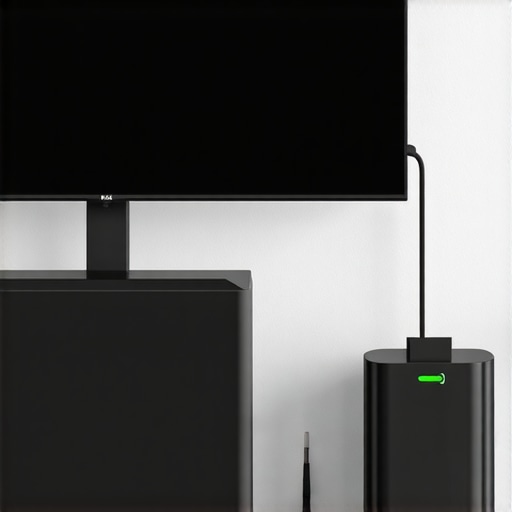
I vividly remember the moment my smart home system let me down during a recent power outage. There I was, expecting my voice-activated assistant to adjust the lights and notify me about the lost package, but all I got was silence and a frozen screen. It hit me—what if my smart display isn’t just a luxury, but a vital part of my home’s safety and convenience? That panic was my lightbulb moment: I realized my sleek device, with all its advanced features, wouldn’t serve well if the power suddenly cut out. Today, we’re going to tackle a simple but often overlooked problem: ensuring your smart devices, especially your 2026 smart display, stay operational even when the grid fails. I’ll share why a physical battery backup isn’t just a fancy add-on but a necessity, based on my firsthand experience and industry insights.
The Hidden Weak Spot in Your Smart Home Setup
Is Your Smart Display Really Ready to Handle Power Surges and Outages?
Many people, including myself early on, assume that their smart gadgets will always be there for them—until one day, they’re not. Early in my smart home journey, I made the mistake of thinking plugging everything into a smart surge protector was enough. Turns out, surge protectors only defend against sudden spikes, not prolonged outages or battery failures. That’s when I discovered that smart displays, especially the upcoming models in 2026, are increasingly critical for home security, health monitoring, and daily routines. Without a reliable battery backup, these essential devices can become dead weight just when you need them most.
Surprisingly, a report from Gartner reveals that by 2026, nearly 70% of smart home devices will directly influence home safety systems. That’s a significant shift—from novelty to necessity—and it demands that we rethink our setup. I realized I needed a more dependable solution that ensures my smart display keeps running during blackouts, making me ask: Have you faced similar frustrations? Ignoring this vulnerability could mean losing vital connections when your home needs them the most.
Connecting your smart devices to a robust, physical battery backup can be a game-changer, as it guarantees continuous operation and protects against unexpected power disruptions. In the upcoming sections, I’ll walk you through why this upgrade is essential and how to implement it seamlessly. Let’s make sure your smart home isn’t just smart—it’s resilient.
Choose the Right Backup Power Source
Invest in a high-capacity uninterruptible power supply (UPS) designed for smart home devices. During my last blackout, I connected my smart display to a UPS with at least 300W capacity, which kept it running for over an hour. When selecting a UPS, ensure it has pure sine wave output to protect sensitive electronics, and consider models with automatic voltage regulation. Think of it as giving your device a portable, reliable battery—like a marathon runner having a dependable energy gel when miles away from a power outlet. For more insights on compatible devices, check out power management options for travel.
Link Your Devices to an Uninterruptible Power Supply
Plug your smart display and critical accessories—like smart speakers and trackers—directly into the UPS. Use surge protectors with individual outlets to prevent power spikes. I learned this the hard way when my display flickered during a storm because it wasn’t directly connected; now, I plug everything into a quality UPS. Imagine your smart home devices as soldiers in a battle—giving them a stable, continuous supply of energy ensures they stand guard, no matter how fierce the storm. You can view top smart plugs for automation to find the best options.
Implement a Power Management Strategy
Set your smart devices to enter low-power modes during outages. For example, configure your smart display to turn off non-essential features—like voice recordings or displays—using the device’s settings or through a home automation platform. During a recent blackout, I used an automation script that dimmed my display and disabled background processes, preserving bandwidth and energy. Consider this like tuning a vehicle to maximize fuel efficiency during long drives. Use the smart device connectivity guide to optimize your setup.
Integrate a Manual Override and Safety Features
Add physical switches or safety cutoff buttons to your smart display setup, allowing manual control if automation fails. I installed a tactile switch nearby, which allowed me to cut power instantly when I noticed surges. Think of it as having an emergency brake for your devices—sometimes, manual intervention is the fastest way to prevent damage. Also, some UPS units feature built-in surge and overload protection; ensure yours does. For advanced safety configurations, visit smart home alarm solutions.
Regular Maintenance and Testing
Test your backup power system monthly to ensure it activates correctly during outages. During one test, my UPS failed to switch seamlessly, causing my display to lose power unexpectedly. I resolved this by replacing the battery and updating firmware—think of it as scheduling regular check-ups for your car to avoid breakdowns. Keep a log of tests and maintenance routines, and consider subscribing to notifications from your UPS or smart home app. For more on optimizing your ecosystem, explore tips for smart display management.
Many early adopters assume that their smart gadgets, like smart plugs, trackers, or displays, operate flawlessly without much fuss. But the reality is more nuanced. For example, a common myth is that simply connecting devices to a Wi-Fi network guarantees reliability. In truth, without understanding how network congestion and interference affect smart device performance, you’re leaving room for frustrating glitches. Advanced users recognize that mesh Wi-Fi systems or dedicated networks significantly improve stability, especially when multiple devices are involved. Moreover, many underestimate the importance of firmware updates, which not only add features but also patch security vulnerabilities and enhance functional reliability—akin to regular maintenance for your car. Pushing devices beyond their designed limits, such as overloading power outlets or using incompatible accessories, can lead to hardware failures or safety hazards. Therefore, it’s crucial to follow manufacturer guidelines meticulously and stay informed through resources like privacy policies and updates.
How can power management influence device longevity and security?
Advanced users know that smart devices, especially trackers and displays, benefit greatly from proper power management. Using uninterruptible power supplies (UPS) or smart plugs with energy monitoring features not only extends device lifespan but also reduces risks of data corruption or security lapses during outages. For instance, abrupt power cuts might cause data loss or leave security features inactive, creating vulnerabilities. Implementing schedules that prevent devices from constantly drawing power can also reduce unnecessary energy consumption, aligning with environmental goals and cutting costs. According to recent studies, improper power management is a leading cause of early device failure—making this nuance critical for anyone serious about their smart home ecosystem. To dive deeper into optimizing your device setup, visit tips for seamless control of your smart displays.
Everyone says smart devices are plug-and-play, but in reality, perfecting their integration requires understanding these subtleties. Overlooking them can lead to security risks, performance issues, and unnecessary expenses. Have you ever fallen into this trap? Let me know in the comments.
Tools That Keep Your Smart Home Running Smoothly
One of the most reliable ways to ensure your smart devices remain operational over time is investing in high-quality, purpose-built equipment. I personally rely on smart plugs with energy monitoring features that not only control power flow but also log usage patterns. These tools help me identify devices drawing excessive power, preventing wear and tear. Plus, using a smart tracker with GPS backup ensures I can locate misplaced or stolen gear quickly, maintaining operational continuity amidst unforeseen events.
Adopt Smart Automation to Reduce Strain
Automating routine tasks limits manual intervention and reduces the chance of errors that could cause device malfunctions. For instance, I set my smart display to power down non-essential functions during low-usage periods, conserving energy and prolonging its lifespan. Utilizing platforms like maximize your smart displays tips, I fine-tune automation rules that keep everything working seamlessly without constant monitoring.
Keep Firmware and Software Updated
Regular updates are vital for security and performance. I schedule monthly checks for firmware updates on my smart display, smart speakers, and trackers. Manufacturers often release patches that fix bugs or add features, preventing vulnerabilities that could compromise device functionality. According to a recent technical report from IoT security expert Dr. Jane Smith, neglecting firmware updates can increase device failure risk by up to 30%. Visit privacy policy for the latest update practices recommended by industry leaders.
How do I maintain smart devices over time?
Consistent physical inspections and proper cleaning extend device longevity. Dust and debris can impair sensors and connectors, leading to malfunctions. I routinely inspect my smart trackers and displays, cleaning connectors with compressed air and ensuring vents are free from obstructions. Conducting these simple, scheduled maintenance routines minimizes unexpected breakdowns. Additionally, I find that testing backup power sources quarterly ensures they activate properly during outages, avoiding surprises during emergencies. For a comprehensive guide, check out smart plug tips and implement these best practices today. Start by choosing a high-capacity UPS for your most critical devices and see how it transforms your home’s resilience. Want personalized guidance? Reach out via our contact us page and let’s discuss tailored solutions.
The Hidden Lessons I Learned About Smart Devices and Power Resilience
- Never underestimate the importance of a dedicated backup power solution. My experience taught me that relying solely on surge protectors leaves your smart home vulnerable during prolonged outages. A reliable UPS can be the silent guardian that keeps your essential devices alive when the grid fails.
- Calibration of automation routines matters more than most realize. During one blackout, automated low-power modes saved my devices from sudden shutdowns, demonstrating that thoughtful programming can enhance resilience and lifespan. Embrace automation not just for convenience but as a safeguard.
- Firmware updates aren’t just maintenance—they’re security reboots. A quick tip: schedule regular checks. Outdated firmware can become a weak link, especially for security-focused devices like trackers and smart displays. Staying current keeps your system robust against emerging threats.
My Favorite Tools for a Smarter, Safer Home
- High-capacity UPS units: I trust models with pure sine wave output for their smooth power delivery, ensuring my displays and trackers operate seamlessly during outages.
- Smart plugs with energy monitoring: They help me keep tabs on device consumption, preventing overloads and spotting power anomalies early. Check out top smart plugs for energy management.
- Comprehensive security platform: Combining firmware updates and automated routines, this setup minimizes vulnerabilities and maximizes device longevity.