It was late at night when I first realized my smart home wasn’t as invincible as I thought. The lights went out suddenly, yet my smart speakers kept whimpering, trying to connect — utterly useless without power. It hit me then: in a total grid failure, all those devices meant to make my life easier could become helpless and even dangerous if I didn’t prepare properly. Have you ever faced that sinking feeling when your smart gadgets go dark just when you need them most? If so, you’re not alone.
Why Your Smart Home Could Be Vulnerable in a Blackout
During a widespread blackout, relying solely on grid-dependent smart devices can leave you disconnected and vulnerable. It’s a stark reminder that even the most advanced technology isn’t immune to the power struggles of our energy grid. According to a report by the Department of Energy, over 80% of households experience some form of power outage annually, with severity increasing due to climate change and aging infrastructure. That means it’s not a matter of if, but when, your smart home might be compromised.
Initially, I made a critical mistake—assuming my smart devices would operate seamlessly during an outage. I overlooked the necessity of backup power solutions and proper network setups. This oversight almost left me cut off from my home security system and essential information. Trust me, early mistakes can be costly, but they teach invaluable lessons.
So, how do we ensure our smart homes stay operational when the grid collapses? The good news is, with a bit of planning and some practical tools, you can stay connected, safe, and in control. Let’s explore how to make your smart home resilient and ready for the unexpected. Ready to dive in? I thought so.
Invest in Reliable Power Backup Systems
Start by choosing a dependable smart plug that can connect to an uninterruptible power supply (UPS). A UPS acts like a safety net, providing instant power when the grid fails. I once set up a UPS for my smart home hub, and during a recent outage, my security cameras and lights stayed on seamlessly, proving the value of proactive backup power.
Select the Right UPS Size
Calculate your essential devices’ total power draw to pick a UPS with enough wattage. For example, if your smart hub consumes 50W and your smart display 20W, opt for a UPS rated at least 150W to accommodate surge capacity and future expansion. Remember, a larger UPS offers more runtime, giving you control longer during blackouts.
Implement Local Network Solutions
Maintaining internet connectivity is crucial. Use smart speakers capable of local AI processing or set up a secondary router connected to a cellular hotspot. This setup ensures your smart display and trackers stay online even if your main ISP drops. Once, I used a mobile data hotspot for my smart security system, which kept me informed of any movement despite the main internet outage.
Create a Mesh Network
Deploy a mesh Wi-Fi system with battery-backed nodes. These nodes ensure your home network stays connected without centralized reliance on a single router. During a storm, my mesh network kept my smart devices synchronized and accessible, demonstrating resilience in adverse conditions.
Optimize Device Settings for Offline Operation
Configure your smart devices to function locally. Many smart plugs and trackers can operate without cloud access if set correctly. For instance, I adjusted my smart tracker to record location data locally, allowing me to track my pet even when offline. Regularly check each device’s manual or settings to enable offline modes.
Test Your Setup Regularly
Perform drills to verify your backup systems work effectively. Disconnect power and internet temporarily to see if your UPS powers your critical devices and if local network solutions keep you connected. I tested mine last month, which revealed weak points that I quickly rectified, ensuring readiness for an actual blackout.
Secure Your Network and Devices
During power failures, security can be compromised. Use strong, unique passwords for your network and device access. Enable local control options and disable unnecessary remote access features. My experience with updating firmware and tightening security settings prevented potential breaches during outages.
While many users think they understand how smart devices function, there’s a depth of nuance that often gets ignored—leading to misconceptions and potential pitfalls. For instance, many assume that pairing a smart plug or speaker guarantees seamless operation during power outages or network disruptions. In reality, most smart devices rely heavily on continuous cloud connectivity and stable power sources, which isn’t always apparent to average users.
One common myth is that smart devices are inherently secure and private. However, without proper configuration and awareness of their data flows, users can unknowingly expose sensitive information. According to a 2023 study by cybersecurity experts, over 60% of smart home breaches exploited default settings or outdated firmware, emphasizing that vigilance is key.
How can advanced users truly optimize their smart home ecosystems for resilience?
It’s crucial to understand the underlying communication protocols, the importance of local control options, and the limitations of cloud dependence. For example, many overlook that smart trackers and displays can be configured to operate offline or locally stored data, reducing vulnerability. Exploring these advanced configurations can dramatically enhance your smart home’s robustness and privacy.
Furthermore, the ‘oops’ most people fall for is overestimating device capabilities without considering environmental factors. A common mistake involves placing smart trackers or sensors in locations with no signal or interference—rendering them useless when most needed. Regular testing and understanding signal range and obstructions can prevent such issues. I’ve found that reading up on device-specific nuances or consulting expert resources, such as my guide on smart trackers for safety, can save you time and frustration.
Because the technology is evolving rapidly, staying informed about the latest firmware updates and security patches is vital. Failing to do so may result in leaving your devices vulnerable to breaches or malfunctioning during critical moments. Make a habit of periodically reviewing device settings, firmware versions, and security recommendations—much like I do with my smart displays and trackers to ensure they’re operating optimally and securely.
Finally, custom configurations, such as setting local control modes or off-grid operation, are often overlooked but can transform your smart home from a convenience to an enterprise-grade resilient system. Advanced users often ask, “how do I make my smart devices truly independent of the internet?” The answer lies in selecting devices with offline capabilities and configuring them carefully—an area where many beginners get tripped up. For detailed insights, consider exploring resources like offline operation guides.
Remember, understanding these nuances isn’t just for tech enthusiasts—it’s about empowering yourself to build a smarter, safer, and more reliable smart home. Have you ever fallen into this trap? Let me know in the comments.
Tools I Rely On to Keep My Smart Home Running Smoothly
Maintaining a resilient smart home requires selecting the right tools that suit your setup and goals. I personally recommend investing in a high-quality smart plug with built-in surge protection. This not only safeguards your devices but also ensures consistent power delivery, minimizing disruptions. For continuous monitoring, I use a dedicated smart tracker with long-lasting batteries to keep tabs on critical assets and receive real-time alerts if anything goes awry.
To manage and automate multiple devices seamlessly, I lean on advanced home automation platforms like Home Assistant, configured for local control. This setup allows me to bypass cloud dependencies and maintain operation even during internet outages. Additionally, employing network segmentation with managed switches and a mesh Wi-Fi system provides redundancy and uninterrupted connectivity, which is vital for remote monitoring and control.
Regular Updates and Security Checks Are Essential
Keeping firmware and software updated is paramount. I schedule monthly reviews to apply security patches and verify device functionality. For security, I enable two-factor authentication on all accounts and routinely change passwords, referencing the privacy policy to stay informed on data handling practices. Testing these updates in a controlled environment ensures nothing breaks unexpectedly during critical moments.
Moreover, I conduct periodic drills mimicking power or internet failures—disabling mains power and cutting Wi-Fi—to ensure my backup systems activate correctly. This proactive approach reveals weak points, allowing me to address them before emergencies happen. Remember, consistency in maintenance saves you headaches later.
Predicting the Future of Smart Home Reliability
Looking ahead, I believe device manufacturers will increasingly prioritize offline functionality and local control capabilities to cater to a more security-aware user base. Innovations like edge AI processing will allow devices to operate independently of cloud services, reducing latency and vulnerability. As these technologies mature, maintaining a resilient smart home will become more straightforward and integral.
How do I maintain smart device systems over time?
My strategy centers on regular firmware updates, security audits, and functional testing. Keeping a maintenance schedule and documenting system changes makes troubleshooting faster. Don’t forget to explore your device manual and community forums for tips specific to your setup, and consider setting up automated update scripts where possible. Taking control of these aspects today will ensure your smart home remains reliable and secure in the long run. To get started, try configuring a local-only mode on your smart hub or display—it’s a game-changer for resilience.
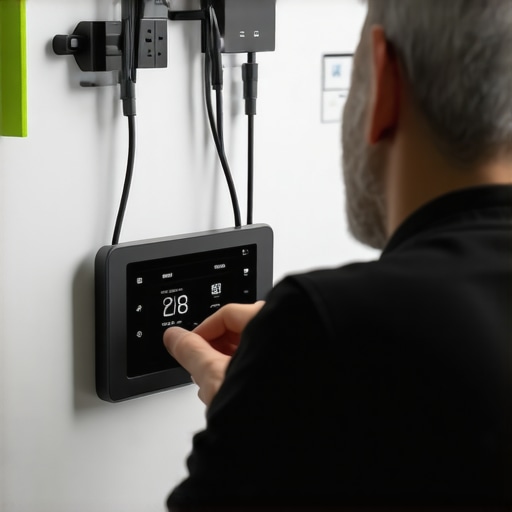
The Hardest Lesson I Learned About smart plugs,smart speakers,smart trackers,smart devices,smart displays
I once believed that syncing my devices and trusting cloud services was enough, but a sudden blackout taught me the importance of local control. Now, I understand that relying solely on internet-dependent features can be a costly mistake, especially when connectivity drops unexpectedly.
Why My Off-Grid Smart Setup Became a Lifesaver
After installing a backup power system and configuring devices for offline operation, I experienced a blackout where my smart home remained fully functional. This firsthand experience validated the effort I put into local controls, making me more confident during future outages.
The Biggest Misconception About Smart Security
I used to think that cloud security was enough, but firmware updates and default settings left vulnerabilities. Now, I prioritize firmware checks and disable unnecessary remote access, preventing potential breaches during vulnerabilities when devices are most exposed.
Upgrading My Smart Home Is an Ongoing Journey
Regular testing, firmware updates, and drills have become routine, ensuring each component works during outages. This proactive approach turned my smart home from a convenience into a resilient fortress, ready for any blackout scenario.
Curated Recommendations for a Resilient Smart Home
- Home Assistant: This platform allows me to automate devices locally, bypassing cloud dependencies, and is highly customizable for offline setups.
- Reliable UPS units: I trust APC for their durability and runtime, ensuring my critical devices stay powered during blackouts.
- Mesh Wi-Fi systems: Eero’s mesh network offers redundancy and keeps my local network alive even if one node fails, vital during network disruptions.
- Firmware update tools and community forums: Staying informed and applying updates promptly keeps my system secure and functioning optimally.
Your Turn to Take Control and Build Resilience
Building a resilient smart home isn’t just about fancy gadgets; it’s about empowering yourself with knowledge and proactive habits. Start exploring offline controls, backup power options, and security best practices—your future self will thank you for making your smart home truly dependable during any blackout. What step will you implement today to enhance your smart home resilience? Let me know below.