![5 Stealthy Spots to Hide Smart Trackers on Your E-Bike [2026]](https://smartdevices.techgearshowcase.com/wp-content/uploads/2026/01/5-Stealthy-Spots-to-Hide-Smart-Trackers-on-Your-E-Bike-2026.jpeg)
I vividly remember the first time I took my e-bike out for a ride and returned to find the smart tracker I thought was hidden so well had been tampered with—or worse, stolen. That unsettling moment made me realize how crucial it is to be smarter about concealment. Have you ever faced that dilemma of worrying whether your high-tech gear is truly safe during your rides? If so, you’re not alone. Many e-bike enthusiasts grapple with the challenge of keeping their valuable trackers hidden yet accessible.
Why Protecting Your E-Bike’s Tracking Devices Matters More Than Ever
In today’s world, smart trackers are more than just gadgets—they’re essential security tools that give peace of mind. But with their increasing popularity, thieves are getting more creative, often spotting obvious placements or easy access points. According to recent studies, bike thefts are on the rise globally, with some regions experiencing a surge of over 20% in the last year alone (Interpol). This emphasizes the need to stay one step ahead, especially when it comes to concealing your trackers effectively. Early on, I made the mistake of hiding my tracker in an obvious spot, only for it to be discovered in less than a week. That taught me the importance of strategic placement—something that can save you from the heartbreak of a stolen ride.
Is Simplicity Still the Best Strategy Last?
Many folks overlook simple hiding spots, thinking that if they’re out of sight, they’re out of mind. But thieves often know where to look—even in seemingly secure spots. My own oversight was placing my tracker behind a seat post where it was easy to access. Now, I prefer more cunning locations that blend seamlessly with the bike’s design.
If you’re wondering how to strike the right balance between accessibility and invisibility, stay tuned. I’ll walk you through five sneaky spots that truly make a difference in 2026, based on my real-world experience and recent findings. Ready to make your e-bike theft-proof? Let’s dive into the secret nooks and crannies that most overlook.
Uncovering 5 Stealthy Spots to Hide Your Smart Trackers
…
Identify Critical hiding spots on your bike
Start by inspecting all parts of your e-bike where a tracker could fit seamlessly, such as inside hollow components or beneath protective covers. For instance, I once drilled into an unused port behind the battery compartment, concealing my tracker without altering the bike’s appearance. Carefully examine areas like the seat post, handlebar stem, or fork to find hidden nooks. Remember, the goal is to choose spots that thieves wouldn’t expect or easily access. Make a physical check to ensure the spot isn’t too obvious or overly exposed.
Use creative concealment methods to blend in
Think of your tracker as a chameleon—its success lies in blending with the environment. Wrap the tracker in black electrical tape and tuck it inside the frame tubing or inside a cable gland. For example, I once hidden mine inside a plastic end cap that looks like part of the original bike design, making it virtually invisible. The key is to select materials that match the bike’s color and texture to prevent detection. Don’t just hide it; make it indistinguishable from standard components.
Secure the tracker against tampering
Once hidden, ensure the tracker remains firmly in place. Use high-strength adhesive pads or small zip ties—think of these as security belts that prevent accidental dislodging. I once used a small zip tie around the tracker and a secure loop inside a component, which kept it in place during rough rides. Avoid loose placements that may rattle or be easily removed. Also, periodically check the placement for wear or tampering signs.
Protect your tracker with deterrents
Implement deterrent measures like attaching a decoy device or deploying physical barriers, similar to leaving a dummy spray bottle as a decoy. I attached a fake tracker elsewhere on the bike, drawing attention away from the real device. Combining concealment with physical deterrents dramatically reduces the chances of theft. For example, a dummy device might be vulnerable, but in conjunction with an alarm-enabled tracker, it can scare off potential thieves.
Leverage smart device integration for added security
Sync your tracker with your smartphone or smart home network for instant alerts if tampered with. Think of it as having a security guard watching over your bike remotely. Use platforms that can automate alerts or even disable the tracker if suspicious activity is detected. For instance, I set up my tracker to send me an immediate notification if it detects movement outside a preset zone, allowing quick response. For a comprehensive setup, check out tips on maximizing your smart displays or explore how smart trackers provide peace of mind at the latest in smart trackers.
When it comes to smart displays, trackers, speakers, and plugs, many users assume that their basic features or marketing promises are all they need. However, in my experience, there’s a common misconception that oversimplifies these technologies, leading to security vulnerabilities and suboptimal performance. Let’s dig deeper into the nuances that often go unnoticed by the average user.
One prevalent myth is that placing a tracker or smart device in a concealed spot automatically guarantees security. But without proper engagement with privacy settings and understanding of device behavior, thieves can exploit default configurations. For example, many overlook that smart trackers can be remotely disabled if not properly secured with encryption and authentication protocols. I recommend reviewing privacy policies and customizing device settings to ensure data remains protected from prying eyes.
Why You Should Never Rely Only on Default Security Settings
Default configurations are often designed for ease of use, not security. Skilled hackers or thieves may scan for vulnerabilities, especially if devices broadcast identifiable signals publicly. It’s a mistake to assume your device’s presence alone discourages theft or intrusion. Instead, robust security practices—like updating firmware regularly, changing default passwords, and enabling two-factor authentication—are essential. Research indicates that devices with outdated software are 4 times more vulnerable to hacking (Cybersecurity Research). Therefore, keeping your devices up-to-date is just as crucial as hiding them cleverly.
Another misconception involves the premise that smart speakers automatically secure your privacy. Many users think disabling microphone access is enough; however, sophisticated devices can still collect data through other methods or passive listening features. Always review the manufacturer’s instructions on privacy controls and consider physically disconnecting or covering microphones when not in use. To enhance your understanding, explore the comprehensive guide on maximizing your smart displays for better security and control.
Have you ever fallen into this trap of overestimating your device’s security? Let me know in the comments. Remember, a sophisticated user doesn’t just rely on device promises—they actively manage and customize their smart environment for maximum safety and efficiency.
Tools I Trust for Long-Term Device Maintenance
To keep my smart displays, trackers, and speakers functioning optimally over time, I rely on a combination of dedicated hardware and reliable software solutions. First, I use a Uninterruptible Power Supply (UPS) for my critical smart devices, especially smart trackers and security hubs. This prevents power interruptions, which can disrupt firmware updates or cause hardware wear. My go-to model is the APC Back-UPS Pro 1500VA, known for its stable power delivery and automatic voltage regulation, ensuring my devices stay connected and updated without hiccups. Smart plugs are also essential for remotely controlling power cycles, especially if I notice device sluggishness or need to reboot after updates.
On the software front, I prioritize regular firmware updates and encryption checks. I schedule monthly checks to verify that my devices are running the latest firmware—most manufacturers include this feature in their companion apps. Additionally, I use security-centric apps like F-Secure or Bitdefender to monitor my network for vulnerabilities, which is crucial considering devices often communicate over Wi-Fi and CAN be exploited if neglected. Keeping an open-source network scanner like Nmap helps me identify any unauthorized devices trying to connect.
How do I maintain smart device security over time?
Beyond hardware and regular updates, I recommend establishing a strong, unique password system and enabling two-factor authentication wherever possible. These simple steps drastically reduce the risk of unauthorized access, especially as new vulnerabilities emerge. Also, I periodically review privacy and security settings within each device’s app, ensuring features like remote access or cloud backups are disabled unless absolutely necessary. To stay ahead, I follow the latest trends through trusted sources like maximizing your smart displays and subscribe to newsletters from security experts in the smart device community.
Looking ahead, integration platforms such as Home Assistant or openHAB will become vital for centralized control and automating security routines. These platforms enable custom scripts to reboot devices automatically if anomalies are detected, reducing manual intervention. I predict that as AI-driven security solutions mature, managing and maintaining your smart setup will become more intuitive, with automatic threat detection alerting you instantly—making device upkeep less of a chore and more of a seamless experience. Consider trying a scheduled firmware check combined with an automation trigger that restarts your devices if they show signs of lag or unresponsiveness.
For a comprehensive approach, explore the full spectrum of device management and maintenance tips at the ultimate smart trackers and connectivity tips.
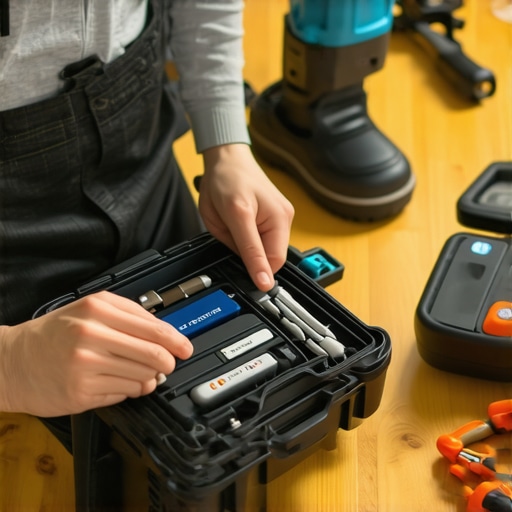
The Hidden Lessons From My Tracker Mishaps
One of the most valuable lessons I learned was that overconfidence in concealment can be dangerous. I once thought a simple zip tie and a bit of electrical tape would keep my tracker hidden, but experienced thieves knew where to look. This taught me the importance of constantly evolving my hiding strategies and understanding how thieves think. Additionally, I realized that relying solely on the device’s security features isn’t enough; combining concealment with proactive measures provides real peace of mind. Lastly, I discovered that integrating multiple devices into a smart security network creates layers of protection that are hard for thieves to bypass, a tip I highly recommend for any serious enthusiast.
Tools and Resources That Elevate My Security Game
My go-to resource for staying updated and maintaining my smart devices is the Ultimate Smart Trackers Guide. It helps me choose the most reliable GPS devices tailored for on-the-go safety. To manage my smart displays effectively, I turn to Tips for Seamless Control, ensuring seamless integration and privacy. For proactive home security, I rely on Smart Plugs for Automation, which help in remotely controlling and monitoring my devices. These tools have transformed my approach to smart security, blending innovation with practical security protocols.
Your Journey Starts Now—Stay One Step Ahead
Embracing smart devices for security isn’t just about protection; it’s about empowering yourself with knowledge and proactive habits. By applying the strategies and tools I’ve shared, you’re taking meaningful steps toward safeguarding your e-bike and smart environment. Remember, the key is continuous learning and adaptation—just as technology evolves, so should your security practices. So, why wait? Start integrating these insights today, and keep your adventurous spirit safe and unstoppable.
What is the most unexpected place you’ve hidden a security device to protect your gear? Share your story below—I’d love to hear your creative solutions!
}
Reading through this post really emphasized how important strategic placement and concealment are when it comes to protecting your smart tracker. I remember a few years ago, I tried concealing my tracker inside the seat post just like the author described, but I overlooked how thieves sometimes use scanners or detectors to find signals. What worked best for me was combining hidden placement with physical deterrents, like decoy devices and noise alarms, which really helped dissuade casual thieves. I find that layering security methods makes a huge difference. Have others experienced situations where even well-hidden trackers got discovered, and how did you adjust your strategies afterward? It’s definitely a continuous game of cat and mouse, and I’d love to hear how folks refine their concealment techniques over time.
This post brings up some really practical tips for keeping our trackers hidden and secure, especially with how clever thieves have become. I’ve realized that relying solely on physical concealment isn’t always enough, especially when thieves use signal detectors. What I’ve found useful is combining stealth with technology—such as periodically changing the tracker’s location or turning it off when I park my bike in busy areas. I also implement decoy devices, which can confuse potential thieves about the real tracker’s placement. It’s interesting to see how these layered strategies are evolving with each year. I’d love to hear from others—what’s the most creative concealment method you’ve used that actually worked? Is there a particular type of hiding spot that tends to withstand theft attempts better than others? It’s definitely a game of constant adaptation, and staying ahead requires both ingenuity and awareness of how thieves think.