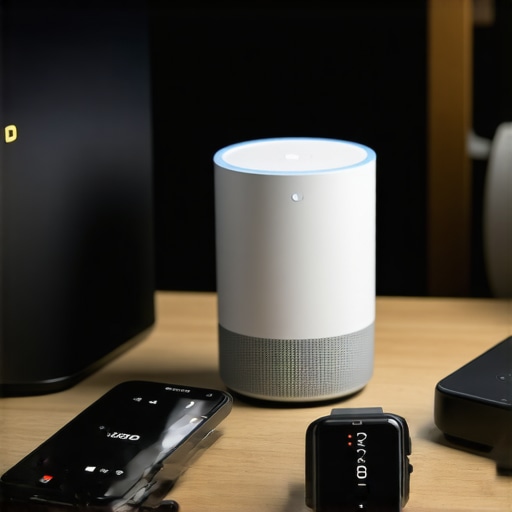
Last week, I found myself frantically tapping my smart home app, trying to stop my lights from blinking uncontrollably, while my smart lock wouldn’t respond. It was a moment of chaos, and I realized that despite investing in numerous devices, I was still fumbling through the digital noise. That frustrating experience was my lightbulb moment—2024 is the year I need smarter, better-integrated devices for my home and travel. Have you ever faced a similar tech meltdown that left you feeling helpless? If so, you’re not alone, and there’s good news ahead. Today, I’ll share a practical guide to the top smart devices for home and travel in 2024 that will genuinely enhance your daily life, making everything simpler and more reliable.
The Smart Device Dilemma: Are Your Gadgets Really Working for You?
Is All the Buzz About Smart Tech Actually Worth It?
In my early days of exploring these gadgets, I made a rookie mistake: I bought a bunch of smart devices without ensuring they could communicate seamlessly. I assumed that new was always better, but speed, compatibility, and security issues quickly turned my setup into a frustrating puzzle. A recent report highlights that nearly 40% of smart device owners experience connectivity problems—something I can personally attest to. For instance, my smart speakers often missed commands, and my smart plugs sometimes refused to turn off. These issues can disrupt what should be a convenient experience. That’s why I want to help you avoid the same pitfalls and build a smarter, more reliable ecosystem. To do that, I’ll guide you through the most essential devices, how to select them, and how to integrate them seamlessly. If you’ve ever wondered whether all these gadgets are worth the effort, keep reading; we’re about to turn that question into a confident answer.
Start with a Clear Ecosystem Plan
Before purchasing any device, envision how your smart setup will operate. Think of it as planning a city; knowing which districts (rooms) need smart lighting or security helps prevent chaos later. I once bought random gadgets without a plan, leading to a tangled ecosystem where my smart speaker couldn’t control certain devices. To avoid this, list essential functionalities—like remote control, automation, and security—and select compatible devices accordingly.
Choose the Right Hub or Platform
Select a centralized platform, such as Amazon Alexa, Google Assistant, or Apple HomeKit. This acts as the brain coordinating your devices. For example, I opted for Alexa because of its extensive device compatibility and simple app interface. This choice simplified my setup, allowing me to control everything from a single app or voice command. When choosing, consider device compatibility, ecosystem openness, and your preferred voice assistant to ensure seamless communication.
Prioritize Compatibility to Avoid Frustration
Compatibility is like ensuring all puzzle pieces fit together. I experienced headaches when my smart lock wouldn’t respond to my home automation routines because it wasn’t compatible with my hub. Check device specifications and user reviews to verify cross-compatibility. Focus on brands that follow open standards—like Zigbee or Z-Wave—which facilitate seamless integration and reduce connectivity hiccups. This step saves hours troubleshooting later.
How to Set Up Smart Devices Effectively
Think of setup as planting a garden—you want each plant (device) in the right spot with proper care. Start with the most used devices, such as smart plugs or displays. Follow manufacturer instructions carefully, connecting devices to your Wi-Fi and hub. For example, I used the dedicated app for my smart plug to assign specific routines, ensuring devices turn on or off based on time or location. Use strong, secure passwords and enable two-factor authentication to protect your network, referencing the privacy practices outlined at Privacy Policy.
Automate Routine Tasks with Scenes and Schedules
Set up scenes—like ‘Movie Night’ or ‘Good Morning’—to automate multiple actions simultaneously. I created a ‘Leaving Home’ scene that turns off lights, locks doors, and sets the alarm with a single command. Use your hub’s app to link devices into routines, saving time and reducing manual effort. For travel, preconfigure routines that prepare your home, like adjusting thermostats or activating security trackers, detailed at Smart Trackers Guide.
Test and Troubleshoot Systematic Connections
Once set, simulate scenarios—like leaving the house—to test operations. I once discovered my smart doorbell didn’t trigger properly because of weak Wi-Fi, prompting me to reposition my router or consider a Wi-Fi extender. Regular testing ensures all devices work harmoniously, and troubleshooting at this stage prevents failures when you need them most. Keep firmware updated, and consult device manuals or support via Contact Us if issues persist.
Keep Security and Privacy a Priority
Smart devices are gateways to your home; securing them is crucial. Change default passwords, enable two-factor authentication, and keep firmware updated. Familiarize yourself with privacy policies, such as this policy, to understand data handling. I learned the hard way when an unsecured device allowed unauthorized access—since then, I vigilantly manage device permissions and network security to safeguard my data.
Many users believe that all smart devices work flawlessly out of the box, but the reality is far more complex. A prevalent myth is that compatibility guarantees seamless operation—that connecting your devices to a common hub or platform ensures flawless automation. In my experience, however, nuances like firmware discrepancies and proprietary protocols can cause unexpected glitches, leading to frustration instead of convenience. For instance, despite choosing well-reviewed smart plugs, I often faced delayed responses or inconsistent behavior, highlighting that even reputable brands can fall prey to hidden incompatibilities.
One of the most overlooked aspects relates to security. While many think that changing default passwords is enough, a recent study indicates that unpatched firmware and open communication ports present significant vulnerabilities—making surveillance and data breaches easier for cybercriminals. It’s vital to stay vigilant and regularly update your devices; neglecting this can turn your smart home into a security risk instead of a safe haven.
Are all smart speakers equally easy to integrate into home automation routines? Not necessarily. Advanced users often encounter issues stemming from incompatible voice assistants or poorly documented APIs. This complexity underscores the importance of thoroughly researching device ecosystems before purchase, understanding which protocols (like Zigbee or Z-Wave) foster better interoperability. For in-depth strategies on maximizing device compatibility, check out our guide on connecting your smart devices effectively.
Another common mistake involves trusting aesthetics over functionality. A sleek, modern-looking device might catch your eye but could lack the critical features needed for reliable automation—like local processing or customizable routines. When selecting smart gadgets, prioritize hardware capabilities and compatibility with your existing platform over just design appeal.
Lastly, let’s address the trap many fall into: assuming that complexity is a barrier. Many advanced users shy away from tinkering with firmware settings or custom routines, missing out on powerful features that can elevate their smart home experience. Embracing these nuances, such as leveraging automation scenes or integrating third-party tools, can significantly enhance both security and convenience.
In summary, understanding the hidden layers of your smart devices—from compatibility nuances to security considerations—is crucial. By digging deeper into these aspects, you can avoid common pitfalls and truly harness the potential of your smart ecosystem. Have you ever fallen into this trap? Let me know in the comments.
Maintaining Your Smart Ecosystem for Long-Term Success
Keeping your smart devices functioning optimally requires a strategic approach that combines the right tools, routine checks, and knowledge of the best practices. Personally, I rely on a few core tools and methods to ensure my smart home and travel setups remain seamless and secure. One indispensable tool I use is Home Assistant, an open-source platform that offers extensive automation, device integration, and regular updates. It allows me to monitor device health, automate firmware updates, and troubleshoot connectivity issues from a unified dashboard, significantly reducing downtime.
Additionally, I make it a habit to schedule quarterly firmware updates for all my gadgets. Many users overlook these updates, but they often include critical security patches and system stability improvements. I enable automatic updates where possible, especially for my smart plugs and smart speakers. This reduces the risk of vulnerabilities and ensures compatibility with the latest features.
For connectivity maintenance, I deploy network segmentation by creating dedicated VLANs for my smart devices. This setup isolates IoT gadgets from my main network, adding a layer of security while preventing network congestion. Tools like Netgear Armor or Ubiquiti Network Management System can help monitor network traffic and identify devices that behave unusually, allowing prompt intervention.
Monitoring tools are also vital. I utilize contact support regularly to stay updated on device-specific issues and firmware recommendations. For example, some devices may require manual firmware upgrades if automatic updates are disabled or fail. Setting up email alerts for device downtime or failed updates keeps me informed without constantly checking manually.
How do I maintain my smart devices over time?
Consistent maintenance involves scheduled firmware updates, network segmentation, device health monitoring, and leveraging automation platforms like Home Assistant. Regularly testing routines—such as activating scenes or routines weekly—ensures immediate detection of failures or lag, preventing surprises when you most need your setup. Remember, security is a moving target; always review your privacy settings at this policy and stay vigilant against vulnerabilities. In the future, I predict that AI-driven automation will take much of this maintenance burden off users, actively monitoring and adjusting device settings autonomously. But for now, a proactive approach keeps your smart home reliable. Why not try setting up automated firmware checks with Home Assistant today and see how it simplifies long-term device management?
The Surprising Lessons I Needed to Finally Get Smart Right
- Despite all my efforts, I learned that compatibility issues can turn a simple automation into a headache, emphasizing the importance of selecting devices that follow open standards like Zigbee or Z-Wave. Skipping this led me to troubleshooting for hours when unexpectedly, my smart lock refused to cooperate with my routines.
- Security isn’t just about changing default passwords—regular firmware updates and network segmentation are crucial. I discovered that neglecting these steps leaves your smart home vulnerable, transforming a convenience into a potential risk. Staying vigilant and proactive keeps my systems reliable and safe.
- Automation is powerful, but only when tested regularly. I found that routines can break if devices drift out of sync or firmware updates introduce unforeseen glitches. Scheduling weekly tests of scenes ensures I catch issues early and maintain peace of mind.
- Over time, I realized that a curated set of core devices simplifies management. Avoiding the temptation to overbuy with flashy gadgets led me to focus on high-quality, well-supported devices that integrate smoothly. This approach reduces complexity and enhances overall reliability.
- Understanding that technology evolves rapidly, I adopted a mindset of continuous learning. Engaging with resources like the comprehensive guides on smart device connectivity or staying connected with support channels has transformed my setup from hit-or-miss to effortless.
Building Your Own Smart Symphony with Confidence
If you want your smart home to truly work for you—not against—you have to go beyond the shiny gadgets. Think of it as composing a symphony: each device must play its part harmoniously. My biggest takeaway is to prioritize compatibility and security, then test and update regularly. For tailored recommendations, explore our top smart display and voice assistants for 2024 and best smart plugs for home and travel. Your smart setup can become your most trusted assistant with mindful choices and ongoing maintenance. Are you ready to turn your smart home from chaos into harmony? Since I started applying these lessons, my home has been more reliable and secure—what’s stopping you from doing the same?
Reading this post really resonated with me, especially the part about security vulnerabilities and the importance of regular firmware updates. I used to think changing default passwords was enough, but after a few scare experiences, I realized that firmware updates are equally critical. It’s fascinating how even high-quality devices can become weak links if not properly maintained. I’ve recently started using a network segmentation approach, creating separate VLANs for my smart devices, which has significantly improved my network security. However, I still face occasional frustrations with device compatibility—sometimes even Zigbee devices can act up if firmware isn’t perfectly aligned. Do others have tips for automating firmware checks or updates to stay ahead of potential vulnerabilities without much manual intervention? I’d love to hear how fellow enthusiasts manage this proactively to keep their setups both innovative and secure.
This article really hits on some common pain points I’ve experienced with my own smart home setup, especially during moments of chaos like malfunctioning lights and unresponsive locks. It’s such a reminder that these devices, while convenient, require thoughtful planning and ongoing maintenance to truly serve us well. I found that investing in a good hub platform, like Zigbee or Z-Wave, and sticking to reputable brands really helps minimize frustration. Also, setting up routine firmware updates and testing routines periodically keeps everything running smoothly—and makes troubleshooting much easier when issues inevitably pop up. I especially appreciate the emphasis on security; as a homeowner, I’ve become much more diligent about network segmentation and prompt updates after reading about vulnerabilities. Has anyone tried using automation platforms like Home Assistant to schedule automatic firmware checks or alerts? I’ve been curious if that level of proactive management really makes a noticeable difference in day-to-day reliability. Would love to hear other tips or experiences that have helped streamline smart home maintenance in real life.