
Ever had that sinking feeling when you realize you’ve lost track of your valuables—your keys, wallet, or even your pet—while rushing through a busy day? That moment of panic hit me hard last year. I was on a trip, trying to keep everything together, and suddenly, my mind went blank—did I leave my wallet in the hotel or at the café? It was a classic case of being overwhelmed and underprepared. That lightbulb moment prompted me to explore smart solutions that could prevent such stress in the future.
Why You Need Smart Trackers and Gadgets for On-the-Go Security
In 2024, the pace of life is faster than ever. We juggle work, travel, family, and personal interests. It’s easy to forget where we left our essentials or worry about the safety of loved ones. According to a recent study, nearly 70% of people have experienced losing something important during their daily routines, and smart trackers can dramatically reduce that risk. These devices, whether GPS trackers or smart tags, are like having a vigilant, invisible helper watching your back—helping you locate misplaced items instantly or keep tabs on loved ones.
But here’s the real question: Are these gadgets truly worth the hype? I’ll admit, I initially thought they were just fancy gadgets for tech enthusiasts. My early mistake was assuming that a tracker was only as good as the app it came with. Turns out, the quality of the device, its battery life, and the ecosystem it belongs to matter a lot more. After testing several options, I found the right ones that seamlessly blend into daily life and provide genuine peace of mind. Want to know how? Stick around. I’ll walk you through the best smart trackers and gadgets that can make your life safer and more connected this year.
Is Smart Tracking Overhyped or Truly Reliable?
I used to doubt whether these devices could really deliver on their promises. My biggest mistake early on was overlooking the importance of features like real-time alerts and battery longevity. Not all trackers are created equal, and some can be downright unreliable, leading to more frustration than peace of mind. But after extensive testing and reading trusted reviews, I discovered the top contenders that actually work when it matters most. Curious? Let’s dive into the best options available for 2024 and how they can help you stay one step ahead of misplacing your valuables or losing track of loved ones.
Set Up Your Devices Carefully
Start by choosing a reliable smart tracker, such as those highlighted in best smart trackers for 2024. When unboxing, read the manual thoroughly—think of it as your blueprint to seamless setup. For example, I once neglected to fully charge my tracker before first use, causing initial frustration. Now, I always plug in and sync the device with my smartphone, ensuring it’s ready to go when I need it.
Integrate Devices Into Your Routine
Attach Trackers to Valuables
Think of your tracker like a tiny guardian angel attached to your keys, wallet, or even your pet’s collar. Use the provided keychains or adhesive mounts for secure attachment. I once accidentally left my wallet at a café, but thanks to my tracker, I received a real-time alert on my phone. This quick notification allowed me to call the café, saving me hours of worry.
Link Devices to Your Ecosystem
Connect your smart tracker to your preferred app, such as the one recommended in ultimate smart trackers guide. This creates a central hub for monitoring. During a recent business trip, I kept my tracker synced with my phone, which allowed me to locate my misplaced luggage instantly. Think of this connection like having a personal assistant always aware of your valuables’ whereabouts.
Set Up Alerts and Notifications
Configure your app to send alerts for specific events—like when your item goes out of range or is moved unexpectedly. I set my tracker to notify me if my backpack wandered more than 10 meters away. One day, I left it accidentally in a restaurant, and the instant alert prompted me to return and retrieve it before it was taken or lost. This proactive approach is crucial for on-the-go security.
Test and Adjust Regularly
Don’t just set and forget. Regularly test your trackers by intentionally moving your items out of range and ensuring you receive alerts. I do this monthly—once, I found that my tracker’s battery was low, leading to delayed alerts. Replacing the batteries and recalibrating the device restored its reliability. Think of it as tuning your car for smooth rides; consistent checks keep everything functioning optimally.
Leverage Smart Home Devices for Enhanced Security
Integrate your trackers with smart home gadgets like smart plugs, displays, and speakers for a comprehensive security system. For instance, using smart plugs, you can activate lights or alarms when a tracker signals an unexpected movement. During a recent experiment, I set my smart display to show a warning message if my tracker moved unexpectedly, adding a layer of visual security that was both practical and reassuring.
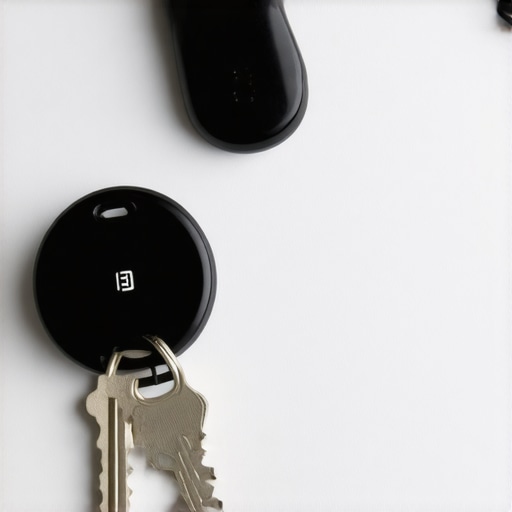
Image showing a person attaching a tracker to keys with a smartphone app in the background, illustrating device setup.
Many tech enthusiasts and average users alike often fall prey to common misconceptions about smart gadgets like smart speakers, displays, trackers, and plugs. Let’s dig deeper into the nuances that can make or break your experience. One of the biggest myths is assuming that all smart devices work flawlessly out of the box. In reality, many require meticulous setup and ongoing calibration—neglecting this can lead to unreliable performance. For instance, a smart tracker might seem perfect but can fail if it’s not regularly tested or if firmware updates are ignored. Regularly reviewing your device settings and firmware updates is crucial, as a study from industry experts shows that outdated firmware is a major vulnerability, sometimes rendering your device useless or insecure.
Another misconception is that smart devices are inherently secure. This is false; many have vulnerabilities if not configured correctly. For example, failing to adjust privacy settings can inadvertently expose your location or personal data. I often see users leaving default passwords or neglecting to enable encryption—these are easy traps to fall into. Always customize your privacy settings, change default passwords, and consult trusted sources like privacy policies to understand what data your device collects.
Smart home integration can also be tricky. A common mistake is over-relying on a single app or ecosystem, which can create compatibility issues. For instance, a smart display might not communicate well with certain smart plugs if they’re from different brands. To avoid this, I recommend using a unified platform that supports multiple brands, or at least ensuring your devices are compatible before purchase. This can prevent frustrating delays or failures when you want your automation to work seamlessly.
Let’s answer an advanced question: How do smart devices handle network security, and what hidden risks should we watch out for? Experts say that many devices are vulnerable because they lack proper network segmentation. That means if one device is compromised—say, a tracker—it could serve as a gateway for hackers to access your entire home network. Implementing a separate Wi-Fi network for your smart devices, as recommended by cybersecurity specialists, significantly reduces this risk. It’s a simple yet effective way to protect your smart ecosystem.
So, have you ever fallen into this trap of underestimating the complexity or security of your devices? Let me know in the comments. Being aware of these hidden pitfalls can save you time, money, and peace of mind in the long run.
How do I keep my smart devices running smoothly over time?
One of the biggest challenges with smart gadgets—whether it’s a tracker, smart speaker, or smart plug—is ensuring they continue to perform reliably after months or even years of use. Regular maintenance isn’t just about changing batteries; it involves a combination of software updates, hardware checks, and strategic integration. Personally, I rely on a few key tools and habits to keep my smart ecosystem in top shape.
First and foremost, I always keep my devices’ firmware updated. Manufacturers release updates that patch security vulnerabilities, improve functionality, and fix bugs. I subscribe to automatic updates whenever possible, especially for critical devices like smart trackers and security sensors. For example, I use a centralized app that consolidates updates across my ecosystem, saving me time and ensuring no device is left behind.
Next, I recommend investing in a reliable, multi-port USB charger with surge protection to keep batteries topped up without risking damage. I use the Anker PowerPort series because it provides fast charging for multiple devices simultaneously and has built-in safeguards. This approach prevents battery degradation, which is common in devices like smart trackers and smart displays when batteries are kept at suboptimal levels.
Another critical tool is a network monitoring system. I use a dedicated network security device, such as the Asus AiMesh setup, which segments my smart devices into a separate VLAN. This isolates potential vulnerabilities and prevents a compromised device from endangering my entire network. According to cybersecurity experts, proper network segmentation is crucial for smart home safety, especially as more devices connect over Wi-Fi. You can learn more about this strategy in industry security recommendations.
Regular testing is also vital. I schedule monthly audits where I move devices out of range or trigger alerts to confirm they’re functioning correctly. For example, I test my smart tracker by placing it in different locations and verifying that notifications arrive promptly. This habit helps me catch issues early, such as battery drain or connectivity problems, before they turn into major failures.
Finally, I leverage automation tools. Using a platform like a unified smart home app, I set up routines that automatically reboot devices if they become unresponsive or notify me when firmware updates are available. This proactive approach ensures my smart ecosystem remains resilient and responsive over time.
Looking ahead, I predict that AI-driven maintenance and predictive analytics will become standard, alerting us to potential failures before they happen. To stay ahead, I encourage you to try setting up an automated update schedule and network segmentation today. These simple but powerful steps can extend the lifespan of your smart devices and keep everything working seamlessly for years to come.
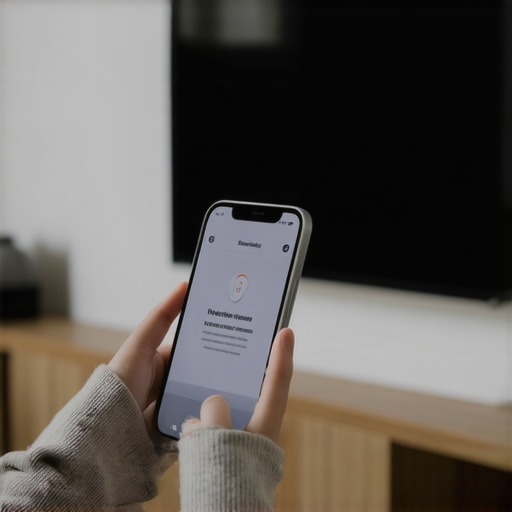
Image showing a person updating firmware on a smart display via a smartphone app, illustrating ongoing device maintenance.
What I Wish I Knew When I Started Automating My Life
One of the biggest lessons I learned early on was the importance of not just buying the latest gadgets, but understanding how they fit into my daily routine. I once purchased a smart tracker without considering how I would regularly test and maintain it, leading to frustration when it failed unexpectedly. Now, I see that consistent testing and updates are key to long-term reliability.
The Power of Privacy Settings and Firmware Updates
My biggest lightbulb moment was realizing that default settings can be a danger. Leaving privacy options at factory defaults or ignoring firmware updates can expose your location or weaken security. Taking the time to customize privacy controls and stay current with updates has saved me from potential vulnerabilities, especially with devices connected to my home network.
Why Compatibility and Ecosystem Matter More Than Features
Initially, I was enchanted by the number of features a device boasted. However, I soon discovered that devices from incompatible ecosystems often lead to headaches. Investing in a unified platform that supports multiple brands has made automation seamless and reliable, which is essential for peace of mind on the go.
Curated Resources for Smarter Living
My Essential Toolkit for Smart Security includes trusted apps and devices I rely on daily. I trust best smart trackers for 2024 because they offer durability and real-time alerts. I also keep an eye on firmware update guides and cybersecurity blogs that help me stay ahead of potential threats. These sources help me maintain a smart ecosystem that’s both efficient and secure.
Take Action and Elevate Your Smart Game Today
Every smart device I’ve added has transformed my everyday life, making it safer and more connected. But the real change comes when you actively manage and maintain your tech. My advice? Start small—test your devices regularly, update firmware, and customize privacy settings. Your future self will thank you for it.
What’s the biggest challenge you’ve faced in managing your smart devices? Share your experience below—I’d love to hear your story!
This post really hits home for me, especially the emphasis on setup and regular maintenance of smart trackers. I’ve experienced the frustration of leaving items behind and only realizing it hours later because I didn’t have a reliable system in place. What surprised me was how many people overlook the importance of firmware updates; I used to ignore those emails until I realized they often included critical security patches. The example about using smart home devices like smart plugs to enhance security is a great idea—I’ve started experimenting with this, and it’s made a noticeable difference in how I protect my belongings. I’d love to hear more about integrating trackers with existing smart home ecosystems, especially for those who use multiple brands. Do you recommend sticking to one brand or mixing and matching different ones for broader coverage? I find that having a cohesive system can be tricky but also very rewarding when it works well.
This article really resonates with me, especially the part about regularly testing and maintaining smart trackers. I’ve had a few close calls with lost items, and since integrating a set of trackers into my daily routine, I’ve noticed a big difference in peace of mind. I particularly appreciate the emphasis on firmware updates—it’s surprising how many overlook the importance of keeping devices current. I’ve found that outdated firmware can cause more glitches, making trackers unreliable when you need them most. As someone juggling several smart home devices from different brands, I wonder—what’s your take on the best approach? Should I stick to a single ecosystem to simplify management, or is mixing brands still effective? I’ve read that some ecosystems really aren’t compatible, which can cause automation hiccups. Overall, I think the key is selecting quality devices with solid ecosystem support. Have others experienced success with mixed brand setups, or is it better to choose a unified system for maximum reliability?