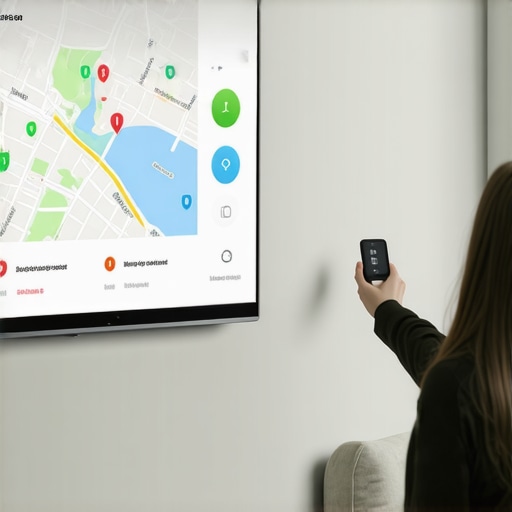
Ever had that moment where you’re frantically trying to find your smart speaker amidst a cluttered countertop, only to realize you’ve forgotten how to make it work seamlessly? That sinking feeling of tech frustration is all too familiar. I used to spend more time troubleshooting than enjoying the benefits of my smart devices, and honestly, it drove me crazy. But then I had a lightbulb moment: what if I could simplify my entire smart home and travel setup, turning chaos into harmony?
Why Simplifying Your Smart Devices Is a Game-Changer
In 2024, our homes and travel routines are more connected than ever. Yet, many of us struggle with managing multiple devices, apps, and settings. It’s like trying to keep a dozen balls in the air — one slip, and everything comes crashing down. The good news? With the right smart displays, voice assistants, and gadgets, you can regain control and make your environment work for you, not against you. Imagine waking up, and with just a voice command, your coffee brews, lights turn on, and your favorite playlist starts — all effortlessly. That’s the promise of mastering smart tech.
Is It Really Worth the Hype or Just More Gadgets?
When I first dabbled in smart devices, I made a classic mistake: I bought too many gadgets without a clear plan. I thought more was better. Spoiler: it’s not. I ended up with a jungle of unintegrated devices, each with its own app and quirks. It was more hassle than help. The real breakthrough came when I focused on quality over quantity — choosing devices that work well together and understanding how to control them easily. Check out our tips for seamless control of your smart displays. Now, I can manage my entire smart setup with just a few taps or voice commands, and that’s a game-changer for my daily routine.
So, have you faced this kind of tech overload? Or are you still struggling to get your smart devices to cooperate? If so, you’re not alone. The good news is, with a bit of guidance, you can turn your chaotic setup into a streamlined, reliable system. Ready to discover how? Let’s dive into the practical steps to make your smart devices work for you — whether at home or on the go.
Start with a Clear Inventory of Your Devices
Before diving into configuration, make a list of all your smart devices — smart speakers, displays, trackers, plugs, and more. I remember once I spent an afternoon trying to sync my smart plugs, only to realize I had different brands with incompatible apps. To avoid this, check the compatibility and focus on devices that can work together under a unified platform, like Alexa, Google Home, or Apple HomeKit.
Choose a Central Control System
Pick a smart home hub or platform that suits your ecosystem. I personally went with a Google Nest Hub, which streamlined my device management and allowed voice control across all gadgets. This step is crucial because it simplifies daily routines and reduces app clutter. For comprehensive setup ideas, explore our ultimate guide to smart displays and voice assistants.
Integrate Smart Plugs for Effortless Automation
Smart plugs are like the remote controls for your appliances. I started with a few and programmed them to turn on my coffee maker or lights at specific times. It was messy at first — I struggled with multiple apps and inconsistent timing. Then I discovered how to control all smart plugs via a single app, which made automation seamless. Check out our tips for smart plugs and home automation.
Set Up Smart Trackers for Peace of Mind on the Go
Smart trackers are game-changers for travel and safety. I tested a few on my recent trip, attaching one to my luggage and keys. Initially, I faced connectivity issues, but after updating firmware and customizing alerts, I was able to track my belongings in real-time. Want to explore top options? Visit our best smart trackers for travel security.
Configure Voice Commands and Automations
Once devices are integrated, set up routines. For example, I created a morning routine that turns on lights, reads the weather, and plays my favorite playlist with a single voice command. It took some trial and error to fine-tune the commands, but now it’s second nature. For tips on optimizing your voice controls, see maximize control of your smart displays.
Test and Troubleshoot Your Setup Regularly
Don’t wait until something fails. I learned this the hard way when my smart lights stopped responding. Regular testing helped me identify firmware updates and connectivity issues early. Keep your devices’ firmware up-to-date and revisit your routines periodically. For troubleshooting advice, contact us via contact page or review privacy policies to ensure security.
Many enthusiasts jump into the world of smart devices, believing that more gadgets and complex setups will automatically lead to a smarter home or travel experience. However, the reality is often quite different. One major misconception is that pairing the latest smart speaker or display with every new gadget guarantees seamless automation. In my experience, this approach can backfire, creating a tangled web of incompatible devices and fragmented control. Instead, focus on choosing a central ecosystem and understanding the nuanced differences between device types to truly optimize your setup.
For instance, a common myth is that smart plugs are foolproof automation tools. While they are incredibly versatile, they can also be a trap if you don’t pay attention to compatibility and firmware updates. I once bought a batch of smart plugs from different brands, only to realize I couldn’t control them through a single app. That wasted time and created frustration. The key is to select smart plugs that integrate smoothly with your hub or voice assistant, which you can explore more in our tips for smart plugs and home automation.
Why do so many overestimate the ease of smart device integration?
Many assume that once devices are connected to Wi-Fi, they will work flawlessly. But the truth is, firmware updates and network stability play a critical role. Devices from different manufacturers often have inconsistent update schedules, leading to compatibility issues that can sabotage your routines. Regularly checking for updates and reading the privacy policies, which you can review here, is essential to maintaining a reliable system. Also, remember that overloading your network with too many devices can degrade performance, so prioritize devices that serve your core needs.
Another mistake is neglecting the advanced settings of your smart trackers. Many users simply attach trackers to their luggage or keys and forget to customize alerts or firmware updates. This oversight can result in inaccurate location data or delayed notifications. For example, I found that updating the firmware on my GPS tracker significantly improved its accuracy, especially in crowded areas. To get the most out of your trackers, check out our ultimate guide to smart trackers.
Are you tempted to buy every new smart device you see? Remember, the secret lies in choosing quality, compatibility, and understanding the nuances of each device type. For sophisticated setups, consider reading our 2025 connectivity guide to stay ahead.
Have you ever fallen into this trap? Let me know in the comments. Smart device mastery is about strategic choices, not just gadgets!
Maintaining a reliable smart home setup or travel tech ensemble requires more than just initial configuration. Over time, devices can encounter firmware glitches, connectivity issues, or compatibility hiccups that disrupt your routines. Luckily, I’ve developed a set of precise methods and tools that help me keep my smart devices, smart speakers, displays, trackers, and plugs functioning seamlessly and efficiently.
How do I maintain my smart devices over time?
First, regular firmware updates are crucial. I personally subscribe to automatic updates whenever possible, especially for smart trackers and plugs. These updates often include security patches, bug fixes, and performance improvements. For example, I routinely check the firmware status of my smart trackers to ensure they are running the latest software, which significantly enhances GPS accuracy and alert reliability.
Next, I rely on a dedicated network monitoring tool like Fing, which scans my Wi-Fi network weekly. This helps identify unknown devices, bandwidth hogs, or potential security threats that could interfere with my smart devices. Maintaining a clean network not only boosts device responsiveness but also guards against security vulnerabilities, aligning with best practices outlined in our privacy policy.
Third, I utilize a universal control platform such as Home Assistant. This open-source hub consolidates device management, automations, and troubleshooting in one interface. It allows me to quickly diagnose issues—whether a smart plug isn’t responding or a speaker has lost connectivity—then apply fixes like reboot commands or firmware reinitialization without juggling multiple apps.
For long-term stability, I schedule periodic resets of critical devices—like smart displays and hubs—once every few months. This prevents firmware corruption and clears minor glitches. Additionally, I keep a log of updates and changes using a simple spreadsheet, so I can track what works and anticipate future issues before they escalate.
What tools do I recommend for ongoing maintenance?
Beyond network monitoring, I swear by tools like TP-Link’s Deco Mesh Wi-Fi systems, which include built-in diagnostics and prioritize device traffic. These systems intelligently allocate bandwidth, reducing lag and disconnects that frustrate smart routines. For firmware updates, I set reminders via my calendar to manually check device support pages, especially for smart plugs and trackers, which often lag behind in updates compared to hubs and displays.
In the future, I predict smart device maintenance will become even more automated. Advances in AI-driven network management will proactively identify issues and apply fixes without user intervention. Until then, a disciplined routine combining firmware checks, network health monitoring, and periodic resets is the best way to keep everything working flawlessly.
If you want to unlock the full potential of your smart setup, I urge you to try setting up a periodic device reset schedule and use a network scanner regularly. These simple steps significantly reduce downtime and increase device longevity. Need help? Reach out via our contact page for tailored advice.
The Hardest Lesson I Learned About smart devices,smart speakers,smart displays,smart trackers,smart plugs
One of my biggest wake-up calls was realizing that more gadgets don’t automatically mean a smarter setup. I once thought stacking devices from different brands would create a seamless ecosystem, but it often led to conflicts and frustration. The lesson here? Focus on compatibility and prioritize quality over quantity. This insight transformed my approach, making my smart home much more reliable and enjoyable.
3 Myths About smart devices,smart speakers,smart displays,smart trackers,smart plugs That Held Me Back
Myth one: All smart devices are universally compatible. Reality: They often require specific platforms or ecosystems. Myth two: More devices mean more convenience. Reality: Without proper integration, it’s chaos. Myth three: Firmware updates are optional. Reality: Regular updates fix bugs and improve security, which is vital for peace of mind. Busting these myths helped me create a setup that truly works for me.
What Experts Won’t Tell You About smart devices,smart speakers,smart displays,smart trackers,smart plugs
Most professionals emphasize compatibility and ecosystem control, but what they often overlook is the importance of maintaining your devices over time. Firmware updates, network health, and periodic resets are the unsung heroes of a reliable smart setup. Learning these behind-the-scenes tips has saved me countless headaches and kept my system humming smoothly.
Curated Resources to Elevate Your Smart Setup
For a comprehensive understanding, I recommend exploring the 2025 connectivity guide, which offers insights into future-proofing your system. I also rely on the ultimate guide to smart displays and voice assistants for optimizing daily routines. When it comes to device maintenance, smart trackers for travel security are invaluable, and I trust them for peace of mind on the go. Lastly, smart plugs have revolutionized automation at home, making routines effortless.
Your Turn to Embrace Smart Mastery
Getting your smart devices to truly work for you is a journey, not a one-time setup. The key is to stay curious, keep learning, and regularly maintain your system. Remember, a well-managed smart home or travel setup can significantly enhance your daily life and peace of mind. So, what’s the first step you’re going to take today to simplify your smart tech experience? Share your plans below — I’d love to hear about your journey!