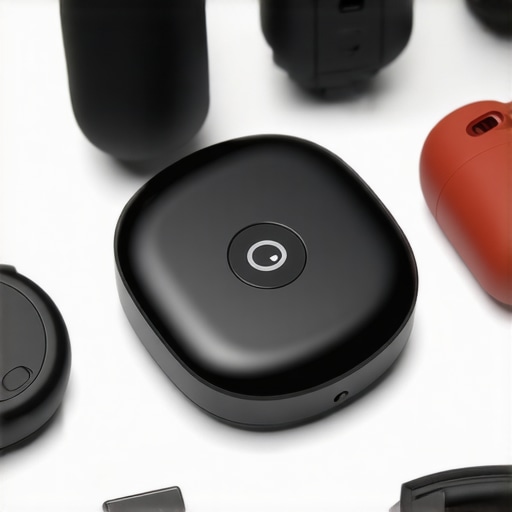
Ever lost track of your keys, wallet, or even your pet, and felt that sinking panic? I’ve been there more times than I can count. One moment, everything’s fine; the next, I’m tearing through bags and couches, desperately trying to locate that missing item. It’s frustrating, time-consuming, and sometimes downright stressful. But then I had a lightbulb moment—smart trackers and devices could save me from this chaos. And honestly, they’ve transformed my daily routine.
Why Smart Trackers Are a Must-Have in 2024
In today’s fast-paced world, losing track of important things isn’t just annoying—it can be risky. From keeping your kids safe to ensuring your valuables are within reach, smart devices have become essential allies. According to a recent report by Statista, the global market for personal trackers is expected to grow exponentially in 2024, reflecting their increasing importance in our lives. These gadgets are not just about convenience; they’re about peace of mind.
Have you ever worried about leaving your child or pet behind during a quick trip? Or felt anxious about forgetting your wallet when heading out? If so, you’re not alone. I made the mistake early on of investing in a tracker that was complicated to use and lacked reliable connectivity. That mistake cost me time and confidence, but I learned that choosing the right device can make all the difference.
Today, I want to guide you through the best smart trackers and devices for home and on-the-go in 2024. We’ll cover the top options, what features matter most, and how to avoid the pitfalls I once fell into. If you’re tired of those frantic searches or feeling uncertain about your loved ones’ safety, stick around. This isn’t just about gadgets—it’s about reclaiming your peace of mind.
Start with Your Priorities and Environment
Before diving into specific devices, clarify what you need most. Are you tracking your keys, pets, or children? Do you want to automate your home or enhance security on the go? For example, I once realized I kept losing my wallet at crowded events, so I prioritized a small, reliable tracker that I could attach easily. Understanding your environment helps you select devices that fit seamlessly into your daily routine.
Select the Right Tracker for Your Needs
Choose a tracker based on its primary function. GPS trackers are ideal for pets and children, providing real-time location updates. Bluetooth trackers work well for keys and wallets within close range. For instance, I opted for a GPS tracker when my dog kept wandering off, which gave me peace of mind knowing I could locate him instantly. To find top options, visit best smart trackers & gadgets for on-the-go security in 2024.
Assess Connectivity and Power
Ensure your tracker has reliable connectivity—GPS, LTE, or Bluetooth depending on your needs. Battery life is crucial; a device that lasts days avoids constant recharging. I learned this the hard way when my tracker died during a trip because I didn’t check its battery lifespan beforehand. Opt for devices with low power consumption and easy charging options, such as magnetic chargers or replaceable batteries.
Set Up and Integrate Your Devices
Follow manufacturer instructions meticulously. Download the companion app, create an account, and customize notifications. I once bought a tracker that was incompatible with my phone’s OS; troubleshooting took hours. To prevent this, verify compatibility before purchase. Once set up, link your device to a central hub or smart home system for automation—like turning on a smart light if a tracker detects movement nearby. Explore options at unlock the power of smart devices in your 2025 connectivity guide.
Leverage Smart Home Integration
Connect your trackers with smart speakers, displays, and plugs. For example, use a voice command to locate misplaced keys: “Hey Alexa, find my keys.” Integrate with smart plugs to turn on lights automatically when your pet or child is detected outside a safe zone. To enhance your setup, check out smart speakers and displays for a transformed living space.
Maintain Privacy and Security
Keep your data protected by reviewing privacy policies. Regularly update device firmware to patch vulnerabilities. I once neglected to change default passwords, risking unauthorized access. Always set strong, unique passwords and enable two-factor authentication where available. For detailed privacy tips, visit privacy policy.
Monitor and Optimize Performance
Regularly check your device’s battery health, location history, and app notifications. Adjust settings to minimize false alarms or unnecessary alerts. If your tracker’s signal weakens indoors, consider using mesh networks or additional beacons. For expert tips, see maximize your smart displays and control tips.
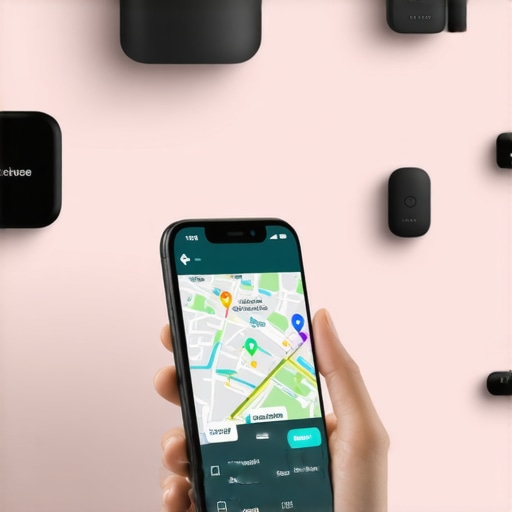
Many enthusiasts believe that choosing the latest or most expensive smart tracker automatically guarantees optimal performance. However, this is a common misconception. The real nuance lies in understanding the specific features and how they align with your lifestyle. For instance, some users assume that GPS accuracy is the most critical factor, but in reality, connectivity stability and battery life often play a more significant role in day-to-day reliability. This subtlety can make or break your experience with these devices.
Another frequent mistake is underestimating the importance of privacy settings and security protocols. A tracker with advanced features is useless if your data isn’t protected. Many people neglect to update firmware or set strong passwords, leaving their devices vulnerable to hacking. According to a recent study by cybersecurity experts, over 30% of smart device users have experienced security breaches due to neglecting firmware updates or default passwords. To truly benefit from these devices, you need to proactively manage your privacy and security.
Why does connectivity matter more than hardware specs?
It’s tempting to focus on hardware specs like resolution, sensor quality, or design aesthetics. But in my experience, consistent connectivity—whether via LTE, Bluetooth, or Wi-Fi—determines whether your tracker keeps you informed in real time. A device with superb hardware but poor network compatibility can become a source of frustration. For example, I once bought a GPS tracker that had excellent reviews but struggled indoors due to weak signal. That experience taught me that seamless connectivity is often the hidden hero in device performance.
Moreover, many users fall into the trap of assuming that a longer battery life is always better. While crucial, it’s equally important to consider how the device manages power consumption during active use and standby. Some trackers claim days of battery life but drain quickly when actively tracking or updating location frequently. Opting for devices with efficient power management ensures your tracker remains reliable during crucial moments. For more expert insights, I recommend checking out the ultimate guide to smart trackers.
Finally, don’t overlook the importance of community feedback and ongoing manufacturer support. Devices with active user communities tend to receive quicker firmware updates and better troubleshooting resources. This ongoing support can be the difference between a useful gadget and an obsolete one. Do your research, read reviews, and stay informed about updates—your peace of mind depends on it. Have you ever fallen into this trap? Let me know in the comments.
How do I maintain my smart trackers over time?
Maintaining your smart trackers and devices isn’t just about initial setup — it’s an ongoing process that ensures longevity, reliability, and security. First, always keep your device firmware up to date. Manufacturers regularly release updates that fix bugs, improve connectivity, and patch security vulnerabilities. For example, I make it a habit to check for updates at least once a month, which significantly reduces the risk of security breaches, as noted in a recent cybersecurity report. You can usually set your device to update automatically or check manually through the companion app.
Next, regularly review your privacy settings and permissions. This is crucial since many trackers collect sensitive location data. Visit the privacy policy for your device to understand how your data is handled, and tweak settings accordingly. Changing default passwords and enabling two-factor authentication adds extra layers of security, preventing unauthorized access.
Battery health is another key aspect. I recommend monitoring battery levels through the app and charging your device before it hits critical lows. For trackers with rechargeable batteries, using magnetic chargers or swapping out batteries (if supported) can extend device lifespan. Avoid letting batteries completely drain frequently, as this can degrade their capacity over time.
Physical maintenance also matters. Keep your devices clean and free from dust or debris, especially around sensors or charging ports. Gentle cleaning with a soft, slightly damp cloth is usually sufficient. Additionally, consider environmental factors — avoid exposing trackers to extreme temperatures or moisture, which can damage electronics.
Lastly, I suggest creating a routine check-in, perhaps quarterly, to assess device performance and connectivity. If you notice frequent disconnections or reduced accuracy, it might be time for troubleshooting or upgrading to a newer model. This proactive approach ensures your devices remain dependable, giving you peace of mind whether you’re monitoring your pet, child, or valuables.
Looking ahead, the trend is moving toward smarter, more autonomous maintenance with AI-powered diagnostics and predictive alerts. Imagine a device that not only reports a low battery but predicts when it will need charging based on usage patterns — that’s the future of long-term device management. For now, following these practical steps will keep your trackers working smoothly and securely for years to come.
Don’t forget to leverage tools like smart plugs and smart speakers to automate device management and enhance your overall system reliability. Give one of these tips a try today, and enjoy the peace of mind that comes with well-maintained smart technology!
The Hardest Lesson I Learned About Smart Trackers
One of my biggest mistakes was trusting a tracker with flashy features but poor connectivity. It failed me at a crucial moment, teaching me that reliability beats bells and whistles every time. Now, I focus on connectivity stability and battery life, knowing these details make or break my peace of mind.
My Top Picks for a Smarter Security System in 2024
My essential toolkit includes the best smart trackers and gadgets for on-the-go security because they combine GPS accuracy with user-friendly apps. For home automation, I swear by smart plugs that integrate seamlessly into my routines. For voice commands, smart speakers like Alexa have become my trusted allies, transforming my living space into a secure, responsive environment.
Your Turn to Transform How You Protect What Matters
With the right smart trackers and devices, you can reclaim control over your belongings, loved ones, and home. Take that first step today and explore how these gadgets can fit into your life. The future of safety and convenience is within your grasp—are you ready to embrace it?
Have you ever struggled to find a lost item or worried about your loved ones’ safety? Share your experiences below and let’s learn from each other!
Reading this post really resonated with me because I recently started using a GPS tracker for my outdoor hikes and it has been a game changer. Not only does it give me peace of mind, but I’ve also noticed that choosing a device with reliable connectivity and long battery life has made a huge difference in my experience. One thing I’ve learned is the importance of regularly updating firmware and security settings to protect my data. It’s surprising how many people overlook these simple steps! Have others found that maintaining these devices actively extends their lifespan and reliability? I’d love to hear tips on how everyone else keeps their trackers performing at their best. From my experience, a small investment in good monitoring and maintenance routines really pays off, especially for outdoor use where you might be relying on these gadgets during critical moments.
This post really hits home for me because I’ve recently started using a combination of Bluetooth trackers and GPS devices to keep tabs on my kids and pets. I’ve found that pairing these gadgets with a smart home system has made a huge difference in peace of mind, especially during outdoor outings. I agree with Evelyn that regular firmware updates and security checks are crucial. I also make it a point to periodically review the device’s battery health and connectivity status to avoid surprises. One aspect I’ve learned over time is the importance of choosing devices that are compatible across different platforms, so you’re not stuck with one app or hardware. Have others experienced issues with device compatibility or connectivity drops? I’d love to hear what solutions worked best for you to maintain reliable performance, especially during busy, chaotic days.
This post really highlights how essential selecting the right tracker is—not just about features, but also about connectivity and how it fits into our daily routines. I personally struggled with the accuracy of some GPS trackers for my dog, especially indoors, where signals tend to weaken. I found that investing in a device that integrates LTE connectivity along with GPS was a game changer; it ensured I could locate him no matter where he was, without those frustrating blind spots. Also, regular maintenance like updating firmware and monitoring battery health has kept my device reliable during critical moments. It makes me wonder: how many users have faced connectivity issues that seemed minor but actually compromised performance over time? Do you think the future of smart trackers will involve AI diagnostics that help us maintain devices proactively? Would love to hear everyone’s thoughts—especially tips on avoiding common pitfalls with different device environments.