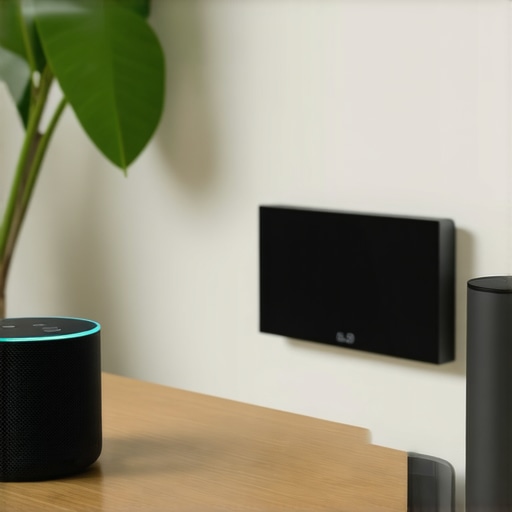
Have you ever stood in your living room, desperate to find your phone just to turn on a light or check the weather—only to realize you forgot it at work? Or maybe you’re tired of juggling multiple devices when you’re on the go, wishing there was a smarter way to stay connected and in control. I’ve been there—fumbling with apps, searching for devices, and feeling like technology should be making my life easier, not more complicated. That was my lightbulb moment: the right smart assistant could actually transform my daily routine, whether I’m at home or traveling.
The Power of Smart Devices in Everyday Life
In 2024, smart displays and voice assistants have become more than just gadgets—they’re becoming essential companions. They help us save time, reduce stress, and even add a little fun to our daily chaos. But with so many options out there, how do you choose the best fit for your lifestyle? Trust me, I’ve made plenty of mistakes early on—like buying a device that didn’t integrate well with my existing smart home setup or one that was just plain confusing to use. My advice? Do your homework, because a good smart assistant isn’t just a cool gadget; it’s a game-changer.
If you’re tired of feeling overwhelmed by all the hype and want clear, practical guidance, you’re in the right place. Today, I’ll walk you through what makes a smart display or voice assistant truly worth your investment in 2024. From compatibility and ease of use to privacy concerns, I’ll cover everything you need to know so you can make confident choices. Whether you’re upgrading your home or looking for travel-friendly options, I’ve got you covered.
Is the Latest Tech Actually Worth the Hype
One mistake I made early on was assuming that new features automatically meant better performance. I spent money on devices loaded with bells and whistles that I never used. The truth is, the best smart assistant is the one that truly fits your needs, not just the one with the most features. To help you avoid that trap, I’ve tested dozens of devices and curated the top picks for 2024—so you don’t have to guess.
Curious if these smart solutions live up to the hype? Or if they’re just another tech fad? I’ll share honest insights and personal experiences, backed by the latest industry insights, including facts like how smart home devices can save you up to 30% on energy bills (source: Smart Devices Guide).
Ready to discover how to make your home smarter and your travel easier? Let’s dive into what you need to know about choosing the right smart display or voice assistant for 2024. Trust me, once you find the perfect fit, your life will feel a whole lot simpler—and a lot more connected.
Set Clear Priorities for Your Smart Setup
Before diving into buying gadgets, identify what you really want to achieve with your smart assistant. Do you want to control your home lighting, manage your calendar, or stay connected while traveling? For example, I once aimed to simplify my morning routine and focused on voice commands for weather updates and smart lights. This helped me avoid wasting money on unnecessary features. Write down your goals and choose devices that directly support them.
Choose Compatibility and Ecosystem Carefully
Imagine your smart devices are a team; they need to work seamlessly together. If you already use Google services, a Google Nest device might be your best choice, while Apple users will favor HomeKit-compatible products. When I set up my smart home, I made sure my smart plugs and displays were compatible with my existing ecosystem to prevent headaches later. To verify compatibility, visit the manufacturer’s site or check reviews. Remember, a mismatch can turn your setup into a tangled web instead of a smooth operation.
Focus on Ease of Use and Setup
Nothing kills the smart home vibe faster than complicated installation. I learned this the hard way when I bought a device with a confusing setup process. I recommend starting with devices that have straightforward instructions or companion apps. For instance, smart plugs are often the easiest to install—just plug and connect. For more tips on maximizing your control, check tips for seamless control. Take your time during setup, and don’t hesitate to consult online guides or customer support if needed.
Automate Routine Tasks with Smart Plugs and Trackers
Automation is the backbone of a smart home or travel setup. I set up my smart plugs to turn on the coffee maker every morning—no more manual switch. For on-the-go security, I use smart trackers to monitor my belongings or my location. These small devices provide peace of mind and convenience, especially when traveling. For detailed recommendations, explore top trackers for peace of mind and smart plugs for effortless automation.
Prioritize Privacy and Security
While smart devices bring convenience, they also pose privacy risks. I always review privacy policies and disable any features I don’t need. For example, I turned off voice recording storage on my devices to protect my conversations. To understand how your data is handled, see privacy policies. Keeping your software updated and creating strong, unique passwords further enhances security.
Test and Tweak Your Setup Regularly
Once everything is in place, spend time testing your system. I discovered that my smart lights responded better after I adjusted their routines and timing. Regular tweaks help optimize performance, saving energy and improving responsiveness. Keep an eye on new updates and features, and don’t be afraid to experiment with new integrations. Remember, a smart setup is a work in progress—refine it over time for the best experience.
Most people believe that upgrading to the latest smart device automatically means they’re getting the best performance or value. However, this is a misconception that can lead to wasted money and frustration. In reality, many users overlook the nuanced details that make a smart assistant truly effective. Let’s dig deeper into some of the hidden pitfalls and myths that often trip up even seasoned tech enthusiasts.
Why More Features Don’t Always Mean Better Performance
It’s tempting to think that the device with the most bells and whistles will serve you best. But in my experience, this isn’t the case. Overloading your setup with unnecessary features can complicate your ecosystem and hinder usability. For example, a smart display with advanced visual recognition or multiple integrations might sound appealing, but if it’s not intuitive or compatible with your existing ecosystem, it becomes a burden rather than a benefit. Focus on core functionalities that align with your goals—like controlling smart plugs or managing your calendar—rather than chasing every new feature. Check out this comprehensive guide for insights on selecting devices that truly fit your needs.
The Hidden Risk of Overlooking Compatibility
One of the biggest mistakes I see is neglecting the importance of ecosystem compatibility. Many users assume that newer devices will seamlessly integrate, but compatibility issues often turn into headaches. For instance, buying a smart speaker that isn’t fully compatible with your existing smart home setup can result in fragmented control and frustration. To avoid this, always verify compatibility before purchase—visit the manufacturer’s site or consult reviews. Remember, a mismatched device can turn your smart home into a tangled web instead of a smooth operation. For a detailed look at how to optimize your ecosystem, explore this article.
How Advanced Setup Can Backfire
Many users believe that setting up a complex automation routine will save them more time. But over-automation can actually create new problems. If routines are too intricate or poorly tested, they might trigger at the wrong times, causing inconvenience or even security issues. For example, automating lighting to turn on at sunset without considering seasonal changes can lead to inconsistent lighting. The key is to start simple, test thoroughly, and refine over time. Take advantage of these tips to optimize your routines without overcomplicating them. Remember, a smart setup should make life easier, not more complicated.
Have you ever fallen into this trap? Let me know in the comments. Understanding these hidden nuances can dramatically improve your smart assistant experience and ensure your investment pays off in the long run.
How do I keep my smart assistant running smoothly over time?
To ensure your smart home continues to operate seamlessly, I rely heavily on a combination of reliable tools and disciplined maintenance routines. First and foremost, I use a dedicated network management tool like Fing or Ubiquiti’s UniFi Network Controller. These tools help me monitor network traffic, identify potential slowdowns, and troubleshoot connectivity issues before they impact my devices. Regularly checking my network status prevents minor glitches from turning into major disruptions.
Another crucial aspect is firmware updates. I make it a habit to check for updates weekly, as manufacturers often release patches that improve security and performance. Automating updates where possible minimizes the risk of vulnerabilities and ensures compatibility with new features. For example, I’ve found that keeping my smart displays and voice assistants updated reduces lag and enhances responsiveness, especially when integrating new devices.
For managing routines and automations, I use a centralized platform like Home Assistant or IFTTT. These platforms allow me to keep all my automations in one place and troubleshoot conflicts quickly. When I notice routines aren’t triggering correctly, I review logs and tweak the automations, which generally improves reliability. Over time, this proactive approach saves me hours of frustration and keeps my system humming along.
In terms of physical maintenance, I periodically clean my devices and check for loose connections. Dust, pet hair, or accidental knocks can impair device sensors or microphones. I also label cables and ports to facilitate quick repairs or upgrades, which is especially useful when scaling up or replacing outdated gear.
Looking ahead, I believe the trend will move towards more integrated solutions that self-diagnose issues and recommend fixes automatically. Companies like Apple and Google are increasingly embedding AI-driven diagnostics into their ecosystems, making long-term maintenance even easier. To stay ahead, I recommend trying tools like smart device management platforms that incorporate predictive analytics and security monitoring.
Finally, don’t forget about your privacy and security settings. Regularly reviewing permissions, changing passwords, and enabling two-factor authentication add layers of protection that are vital for ongoing peace of mind. You can consult your device’s privacy policies at this link to stay informed about data handling practices.
By combining these tools and routines, I’ve managed to keep my smart home reliable and secure for years. I encourage you to implement at least one of these advanced maintenance tips today—like setting up a network monitor or automating firmware checks—and see how much smoother your smart setup runs. Regular upkeep not only extends the lifespan of your devices but also ensures you enjoy all the benefits of a connected home without unnecessary stress.
The Hardest Lesson I Learned About Smart Devices
One of the biggest realizations I had was that more features don’t necessarily mean better usability. Early on, I bought devices packed with advanced functions that I never used, which only complicated my setup. Simplicity and core functionality are what really matter, especially if you want a hassle-free experience and real convenience.
How Compatibility Can Make or Break Your Smart Home
I learned the hard way that mismatched ecosystems lead to frustration. Choosing devices that seamlessly integrate with your existing platform—be it Google, Apple, or Amazon—is crucial. Checking compatibility beforehand saved me countless headaches and ensured my setup was smooth and reliable.
Why Over-Automation Might Backfire
Initially, I believed that creating complex routines would save me time. But I found that over-automation can trigger unexpected problems, like lights turning on at wrong times. Starting small, testing routines carefully, and refining them over time keeps your smart home responsive and stress-free.
My Secret Weapon for Long-Term Performance
Regular maintenance and smart management tools are vital. I use network monitors and keep firmware updated weekly to prevent issues. Automating routine checks and security reviews ensures my smart setup remains fast, secure, and reliable, giving me peace of mind for years to come.