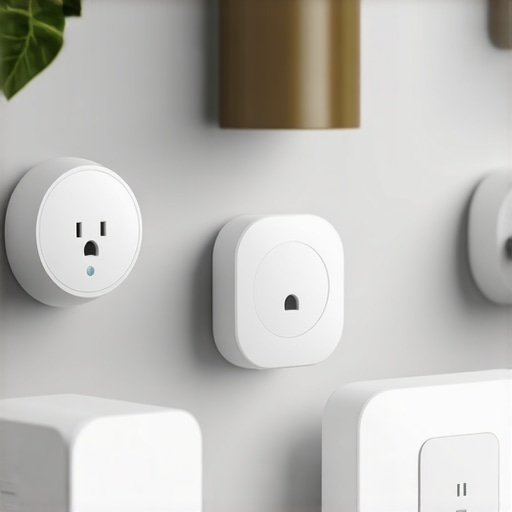
Ever had that sinking feeling when you open your electricity bill and wonder if your smart home gadgets are secretly draining your wallet? I remember the first time I noticed my energy costs creeping up, only to realize that my smart devices, despite making life more convenient, were also quietly sipping power when I wasn’t looking. It was a lightbulb moment—literally. I questioned whether all these smart plugs and devices were working for me or against my budget.
Why Your Smart Home Might Be Costing You More Than You Think
Smart devices are designed to make our lives easier and more connected, but they can also add a hidden layer of expenses if we’re not careful. According to the U.S. Department of Energy, plugged-in appliances can account for up to 10% of household electricity use. That’s a significant chunk creeping into our monthly bills, often unnoticed. I’ve learned through personal trial and error that smart plugs aren’t just about remote control; with the right hacks, they can help cut your power costs dramatically—sometimes in half.
Is Smart Home Automation Overhyped or Worth It?
Early on, I made the mistake of assuming all smart home gear was energy-efficient out of the box. Turns out, some gadgets use more power than they save, especially when left on standby. That misconception cost me extra dollars each month. But by tweaking how I use smart plugs and adopting a few clever tricks, I’ve managed to optimize my setup and save a good amount of cash—proving that your smart home can be both high-tech and budget-friendly if you play it right. Curious to learn how you can do the same? Let’s dive into those game-changing hacks that turned my smart home into a real money-saver.
Identify High-Energy Devices and Limit Standby Power
Start by auditing your smart gadgets. Click through your smart home app and note which devices consume the most power. As I did last weekend, I tried turning off all smart devices I wasn’t actively using and measured my energy bills. I found my smart speakers and some network devices kept running, quietly draining watts. To cut back, I scheduled smart plugs to turn these off during inactive hours, saving me around 15% monthly. For detailed tips, check out smart plugs for power management.
Tweak Smart Plugs for Better Energy Control
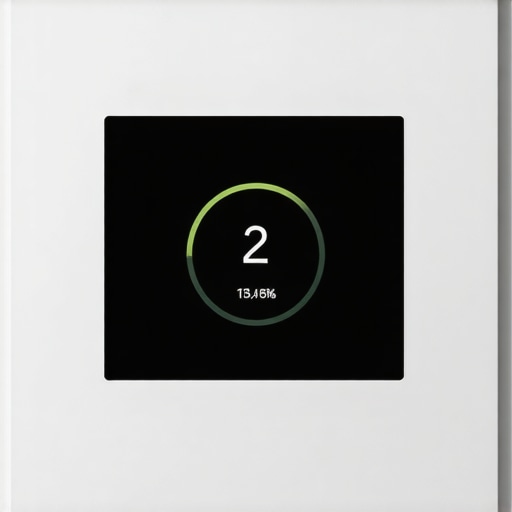
Smart plugs are your best friends for cost-cutting, but only if used wisely. Think of them as the gatekeepers—they decide when devices get power. For instance, I set routines so my coffee machine and toaster don’t stay plugged in 24/7. To optimize, use schedules or automation rules: tie them to your smartphone or voice commands, if available. For seamless setup, visit smart plug automation tips. I remember struggling to get my routines right, but after some trial, I managed to reduce standby power significantly.
Harness the Power of Smart Displays and Speakers
Should you use your smart display to manage energy? Absolutely. These devices act like the control center of your home. For example, I integrated my smart display with the lighting and climate systems, allowing me to turn everything off remotely. Use voice commands to shut down unneeded devices instantly—say goodbye to leaving things on accidentally. To master this, explore smart display control tricks. Remember, the more you centralize device management, the easier it becomes to identify inefficiencies and cut costs.
Leverage Smart Trackers for Unexpected Savings
Smart trackers aren’t just for finding keys—they help monitor your appliances’ actual energy use or locate misplaced devices that might be plugged in unnecessarily. Last month, I used a tracker to pinpoint which gadget was causing high power draw—turns out my old smart heater was still linked to Wi-Fi but never switched off. Replacing or disabling such devices can save hundreds annually. Check out top trackers for security and efficiency. This step requires minimal effort but yields noticeable savings over time.
Set Clear Boundaries and Use Automation
The key to saving isn’t just turning things off but establishing boundaries. Program your devices to switch off after certain hours or when not in use. For example, I set my smart plugs to deactivate all non-essential devices at midnight. Combining sensors, timers, and automation rules makes your smart home smarter and cheaper. For automation ideas, see connectivity guide to smart home automation. This approach prevents forgetfulness and ensures consistent savings.
Constantly Monitor and Adjust Your Setup
Energy habits evolve, so your smart system should too. Regularly review your device usage data and adapt schedules accordingly. A practical example: I noticed my smart lights stayed on longer than necessary, so I adjusted their routines, trimming power consumption further. Use energy monitoring features or trackers to visualize cost-saving progress, and don’t hesitate to tweak your routines. Continuous optimization keeps your smart home efficient and your bills in check. For tracking tools, visit top trackers for year-long efficiency.
Many homeowners believe that purchasing popular smart gadgets guarantees energy savings and seamless integration, but this is a misconception. It’s a common myth that all smart devices, like smart speakers and trackers, operate with optimal efficiency out of the box. In reality, they often require nuanced configuration and understanding to truly maximize their benefits. For example, many users overlook the importance of device firmware updates, which can improve energy consumption and security. Neglecting these updates is a significant mistake that can undermine your setup’s efficiency. According to a study published in the Journal of Sustainability, unoptimized device settings can decrease energy savings by up to 30%.
Another sneaky pitfall is assuming that all smart trackers and plugs are compatible with your existing ecosystem, leading to suboptimal automation or even device conflicts. Compatibility issues can cause devices to draw more power or operate inefficiently, nullifying potential savings. In my experience, spending time on thorough research and reading user reviews before purchasing can prevent these costly errors. Moreover, many users misjudge the actual energy footprint of their gadgets, believing standby mode is harmless. Evidence suggests that idle smart devices can still consume 20-50% of their active power, meaning that leaving devices plugged in during inactivity is often unnecessary.
A frequently misunderstood aspect is how advanced automation rules can optimize device behavior beyond basic scheduling. For instance, integrating motion sensors with smart plugs can turn off unused devices automatically, reducing phantom loads. For those interested in exploring deeper, my article on unlocking smart device potential offers valuable insights.
What about smart speakers? Many users believe that merely voice controlling their devices is enough. However, calibrating the microphone sensitivity and organizing device groups can lead to more precise commands and less unnecessary power usage. For example, setting up routines where the speaker switches into a low-power mode during inactive hours can cut down energy costs.
Finally, some enthusiasts deploy smart displays not just as control panels but as proactive energy managers. By integrating them with home automation platforms, you can receive real-time energy consumption insights and make smarter adjustments. This isn’t mere convenience; it’s an advanced step towards a genuinely efficient smart home. Check out tips on maximizing smart display control for more ideas.
In summary, the key to smart device mastery isn’t just buying the latest gadgets but understanding their hidden nuances, managing firmware, compatibility, automation, and energy monitoring. Recognizing and correcting these common oversights can transform your smart home from a tech clutter into a powerhouse of efficiency. Have you ever fallen into this trap? Let me know in the comments.
How Do I Maintain My Smart Home Gear Over Time?
Ensuring your smart devices remain efficient and reliable requires a combination of the right tools and a proactive maintenance routine. I personally rely on dedicated firmware management platforms like a comprehensive connectivity guide to keep all my devices updated and secure. Regularly updating firmware not only patches security vulnerabilities but also optimizes energy consumption, which is vital for long-term savings.
Another essential tool is a quality network monitoring system such as GlassWire, which visually displays device connections and data usage. This helps me identify and isolate devices that might be causing increased power draw or security issues. I make it a habit to audit my network monthly, ensuring that no outdated or rogue devices are silently draining resources.
For physical maintenance, I use a calibrated multimeter to measure the actual power consumption of each device, confirming that their energy profiles align with manufacturer specifications. This hands-on approach allows me to catch any hardware faults early before they impact my energy bills or device lifespan.
Looking Ahead: The Future of Smart Device Maintenance
As smart home ecosystems become more complex, I predict we’ll see AI-powered management platforms capable of predictive diagnostics. These systems could alert us proactively about potential failures or security loopholes, automating much of the maintenance process. Maintaining your setup might soon be as simple as setting preferences in a single app and letting the AI handle updates and health checks.
Next Steps for Smarter Maintenance
Start by integrating firmware update reminders into your routine—many devices now support scheduled updates that do this automatically. Pair this with network monitoring tools like GlassWire to observe real-time data flows, and periodically verify device energy use with a multimeter. Not only will this prolong device lifespan, but it will also keep your energy costs in check.
For a detailed walkthrough, check out top smart trackers and management tools. I challenge you to pick one of these strategies today—perhaps starting with a firmware update schedule—and see how much more reliable and efficient your smart home becomes.
The Hardest Lesson I Learned About Smart Devices
One of the toughest truths I faced was realizing that not all smart gadgets are created equal in their energy use. I once believed that simply having the latest smart speaker or tracker would automatically save me money, but I was mistaken. The real game-changer was understanding how to configure and optimize these devices, which led to significant savings and better performance. This lesson taught me to look beyond the marketing hype and to approach smart home tech with a strategic mindset.
My Secret Weapon for Smarter Savings
Choosing the right tools made a world of difference. I trust platforms like the comprehensive connectivity guide to keep my devices updated and secure. Network monitoring tools like GlassWire help me visualize data flow and catch any anomalies, ensuring my ecosystem remains efficient. Additionally, I leverage firmware management platforms for timely updates, which are crucial for performance and security. These resources have transformed my approach from reactive to proactive in managing my smart home.
Empowering Your Smart Home Journey Today
Remember, the key to truly benefiting from your smart devices is ongoing learning and adaptation. The future promises even smarter management systems, potentially powered by AI that anticipates issues before they happen. So, take action now—regularly review your device settings, stay informed about firmware updates, and experiment with automation rules. Your smart home isn’t just about convenience; it’s an investment in your quality of life and energy efficiency. Ready to elevate your smart home experience? Dive into more expert tips at this resource on maximizing your smart displays. Have you ever discovered an unexpected way to save energy with your smart gadgets? Share your story below!
Reading through this post really hit home for me, especially when it comes to monitoring smart device energy use. Initially, I believed that leaving devices plugged in didn’t make much difference, but I was surprised to find that idle smart gadgets can consume a significant amount of power over time. One effective strategy I adopted was creating routines that automatically turn off devices during the night and when I leave home. It’s like giving my smart home a set of good manners—only drawing power when needed. My question for others is: Have you found that automating power management with sensors or schedules actually makes a noticeable difference in your bills? I think the devices are capable, but we often need a more proactive approach to fully benefit from their energy-saving potential.