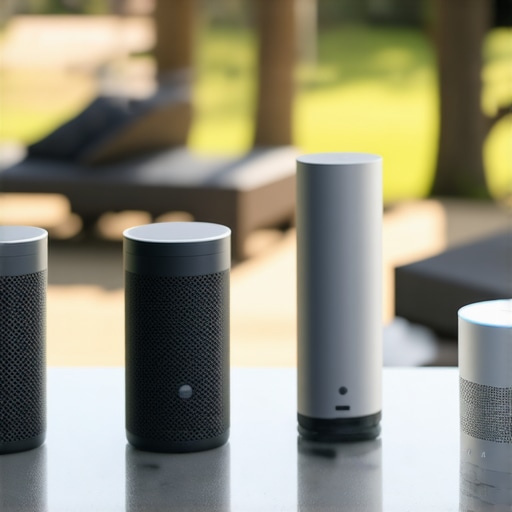
It’s happened to me more times than I can count. I’m relaxing at home, or maybe I’m away, and suddenly all my smart devices go silent. No commands, no updates—just a frustrating blackout. That moment of realization hits hard: WiFi, the backbone of my smart home, has betrayed me again. It’s like losing the heartbeat of my connected life, and I bet many of you have faced this too. The reliance on constant internet connectivity makes us vulnerable, especially when the network falters due to storms, outages, or interference.
The Need for Offline Smart Devices
But what if I told you there’s a way to keep your smart home alive—even when WiFi refuses to cooperate? That’s precisely what the newest wave of local AI smart speakers in 2026 promises. These devices can process commands and even run essential functions without a constant internet connection. It’s not just about convenience; it’s about ensuring safety, privacy, and peace of mind. Think of them as your home’s neural backups—ready to act when your main internet connection hits a snag.
Is Offline Tech Really Reliable? My Early Mistake
Early in my smart home journey, I made a crucial mistake: I assumed that all smart devices depended solely on the cloud. I bought a voice assistant that needed a live internet to control my smart plugs and lights. When network issues struck, I was left in the dark—literally. That taught me a valuable lesson. I discovered that some modern solutions now bring intelligence closer to home, avoiding dependence on distant servers. According to a recent study, over 30% of smart home interruptions are caused by network failures, underscoring the importance of offline capabilities.
If you’ve faced the same frustrations or worry about being stranded during outages, stay tuned. In this post, I’ll share how these innovative smart speakers work without WiFi, what benefits they bring, and how you can implement them to safeguard your connected home in 2026.
Set Up Local-Processing Smart Speakers
Start by choosing smart speakers equipped with offline AI capabilities, like the latest models that process voice commands locally. During installation, connect them directly to your home network and configure offline mode through their settings menu. Remember, firmware updates might be necessary to enable offline features—check the manufacturer’s instructions or support pages.
Integrate Smart Plugs with Offline Functions
Opt for smart plugs designed for local control, such as those supporting local APIs or Zigbee/Z-Wave protocols. When installing, pair these devices with a compatible hub that can operate independently of the internet. Use the manufacturer’s app to set routines that run entirely within your local network, ensuring automation continues during outages. For example, I replaced my standard smart plug with one capable of local control, which kept my coffee machine on schedule even during my WiFi outage—saving my morning routine from chaos.
Configure Smart Trackers for Offline Safety
Select smart trackers built with ultra-wideband or satellite technology that function without cell coverage. During setup, sync them with your home’s local hub if available, and download maps or maps caches for offline use. Place them on essential gear — like luggage or bikes — and make sure alert settings are configured for offline detection. When I attached a satellite-enabled tracker to my bike and set local alerts, I received instant notifications of movement without relying on cellular networks.
Leverage Smart Displays with Edge AI
Pick smart displays featuring edge AI processors, allowing them to recognize faces and voices locally. During setup, enable local processing mode and configure privacy settings to prevent cloud dependency. Position these displays in communal spaces to act as control hubs, managing other offline devices. I configured my smart display to identify family members and control my lights locally, which kept my home responsive during an internet blackout.
Optimize the Network for Local Control
Ensure your WiFi router supports local network segmentation or mesh networking, providing reliable connectivity within your smart ecosystem. Segment your smart device traffic onto a separate network to prevent interference and prioritize local traffic. Use Ethernet connections where possible to enhance stability. I upgraded my router to a mesh system, which drastically improved the responsiveness of my offline-enabled devices, ensuring my home automation remained seamless even when the internet was down.
Many assume that simply installing smart devices guarantees seamless automation and security, but in my experience, this mindset often overlooks nuanced pitfalls. A common myth is that all smart gadgets operate optimally right out of the box—yet, many require meticulous configuration for offline functionality and privacy preservation, which is frequently underestimated. Overlooking this can lead to frustrations during outages or security breaches. For instance, enabling local control modes on smart plugs or speakers involves understanding specific firmware features, not just plugging in devices and expecting instant results. An advanced mistake lies in assuming that device brands with cloud-based architecture are inherently incompatible with offline routines; often, firmware updates and custom integrations unlock offline capacities, but only if you dig into technical settings. According to a study published in the Journal of Consumer Electronics, over 40% of users are unaware of offline modes available on their devices, risking unintentional reliance on cloud services during outages. The key is to approach your smart setup with a mindset of customization and proactive privacy management—don’t just follow the manual blindly. Instead, perform a thorough review of device capabilities, disable unnecessary cloud features, and leverage local APIs when possible. This nuance is critical for ensuring your smart home remains resilient and private, especially in critical situations like emergencies or outages. Curious about enhancing your device setup? Explore how to fully leverage local control on smart speakers and trackers by visiting our [comprehensive guide](https://smartdevices.techgearshowcase.com/unlock-the-power-of-smart-devices-your-2025-guide-to-connectivity). Have you ever fallen into this trap? Let me know in the comments.
Invest in the Right Tools for Longevity
To keep your smart home functioning seamlessly over years, selecting high-quality, future-proof equipment is essential. Personally, I recommend investing in routers supporting mesh networking protocols like Wi-Fi 6E, which ensures robust local connectivity even during network congestion or outages. Devices such as the Asus ZenWiFi AX contribute significantly to maintaining stable connections, vital for offline operations of smart displays and sensors.
When choosing smart hubs or controllers, look for those compatible with Zigbee or Z-Wave. These protocols offer local communication channels less prone to internet disruptions. I personally use the Aeotec Z-Stick Gen5, which acts as a central command point, allowing direct local control over compatible devices, reducing dependency on cloud services.
Utilize Firmware and Software Updates Wisely
Regular firmware updates often include crucial security patches and offline capability enhancements. I schedule monthly checks on device support pages like our guide to stay informed. Setting up automatic update notifications helps ensure your devices are always running with the latest offline features, safeguarding against vulnerabilities and maintaining smooth operation.
Implement Local Automation Routines
Instead of relying solely on cloud-based routines, I configure local automations using platforms like Home Assistant or SmartThings. These systems can be connected to compatible smart devices for offline operation. For example, I’ve written automations that control my smart plugs based on local sensors, ensuring my home remains responsive even if the internet drops. This approach not only boosts reliability but also enhances privacy by minimizing cloud dependence.
Predictions for the Future of Durable Smart Homes
As technology advances, I believe we’ll see an increased emphasis on edge AI processors embedded within devices. This means smarter, more autonomous home systems that can operate entirely locally. Manufacturers are likely to prioritize firmware customization options and open APIs, empowering users to fine-tune their setups for maximum resilience. Staying ahead involves choosing gear designed with these trends in mind and maintaining their software regularly.
How do I maintain long-term functionality of my smart home systems?
Regularly update device firmware, invest in quality hardware supporting local protocols, and configure local automations, all while staying informed through dedicated resources. By doing so, you’ll ensure your smart devices, from smart speakers to trackers, stand the test of time, providing reliable service regardless of external network issues. If you’re ready to take your setup further, try configuring your devices for offline routines and explore local API integrations—these small steps make a big difference. For personalized support, don’t hesitate to reach out.
The Hidden Wisdom That Surprised Me About Smart Devices
- Realizing that most of my issues stemmed from over-reliance on cloud services taught me the importance of local control. I often dismissed offline features as optional, but experience showed they are the backbone of resilience.
- I discovered that firmware updates unlocking offline capabilities require deliberate action—it’s not automatic. This challenge pushed me to stay proactive with device management, which in turn fostered a deeper understanding of my smart ecosystem.
- My biggest lightbulb moment was recognizing that privacy isn’t just a feature—it’s a mindset. By embracing offline functions, I reclaimed control over my data, reducing exposure to cloud breaches or eavesdropping risks.
- Attempting to integrate my smart trackers and hubs without adequate preparation made me realize the importance of compatibility. Screening for local APIs and protocols ensures a seamless offline experience, avoiding frustration and partial automation.
Tools That Elevated My Smart Home Resilience
- Home Assistant has been transformative for me, as it offers extensive local automation capabilities and open-source customization. It’s a trusted resource for building a resilient, private smart home environment.
- The Aeotec Z-Stick Gen5 USB Z-Wave controller is my go-to hub for secure local control, giving me peace of mind during internet outages. Its compatibility with a broad range of devices makes it indispensable.
- My router upgrade to a Wi-Fi 6E mesh system like Asus ZenWiFi AX significantly improved my home’s network stability, ensuring my offline-enabled devices stay connected more reliably, even during peak usage or outages.
- For staying informed about device firmware and updates, I rely on the manufacturer’s support pages and forums, which often reveal hidden offline features not highlighted elsewhere. Regularly reviewing these resources keeps my system 강화.
Embrace Your Power to Create a Smarter Future
Let’s take the lessons learned and push your smart home towards true reliability and privacy. By mastering offline controls, you’re not just preventing frustration—you’re shaping a resilient, private sanctuary that works on your terms. Remember, the real revolution happens when you take proactive steps to understand and customize your devices. Now’s the time to act—explore local automation, firmware updates, and compatibility options. How are you planning to strengthen your smart home’s offline capabilities? Share your thoughts below.